
Aller au contenu principal
Suchen Sie etwas anderes?
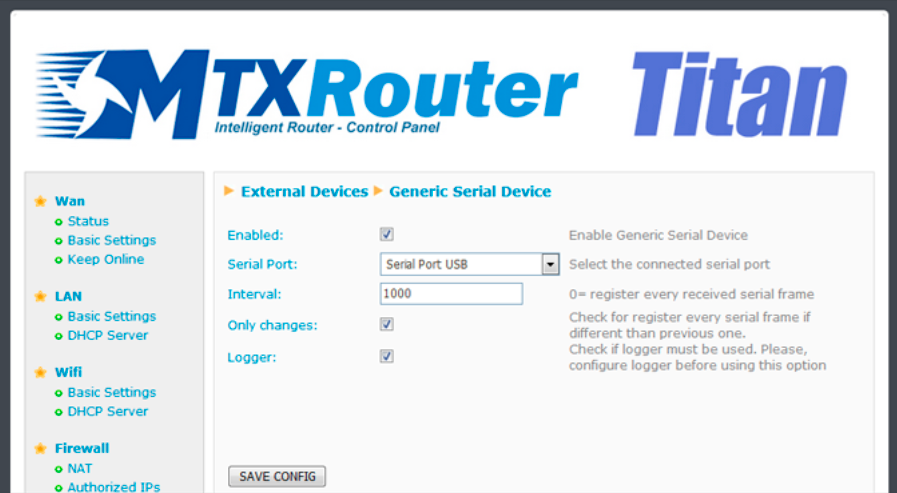
In this section we can configure a datalogger for RS232, RS485 or USB serial devices that allows we to read, store and send data collected from any of the previously mentioned interfaces. It is particularly useful to collect data from serial devices that send data frames periodically (temperature/humidity sensors, serial alarms, etc.).
- Enabled: activate this option if we wish to connect a serial device with the Titan router acting as a datalogger
- Serial Port: select Titan router’s serial port used for logging
- Interval: selecting a value of “0” means all serial frames that are received will be collected. A value of “1” will collect every other frame that is received. A value of “2” will collect one of every three frames received
- Only Changes: activate this option if we only wish to log frames that are different to the previous frame. For example, if we connect a temperature sensor, this could be sending the same data if there is no change in temperature. By activating this option, only changes will be collected by the datalogger
- Logger: activate this option if we wish to save the data that is read in the internal logger for later sending to a web platform via HTTP or FTP
ADDITIONAL NOTES
- Once the configuration is complete, press the “SAVE CONFIG” button to save the changes. Remember that the router should be reset in order for the changes to take effect
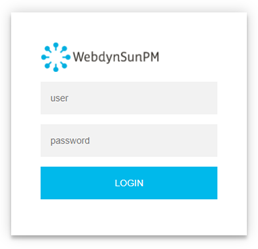 Les accès par défaut sont :
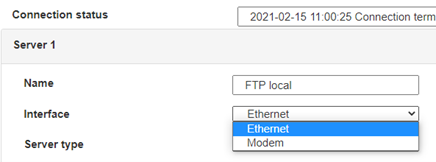
 Saisir le mode de connexion « Ethernet » ou « modem » :
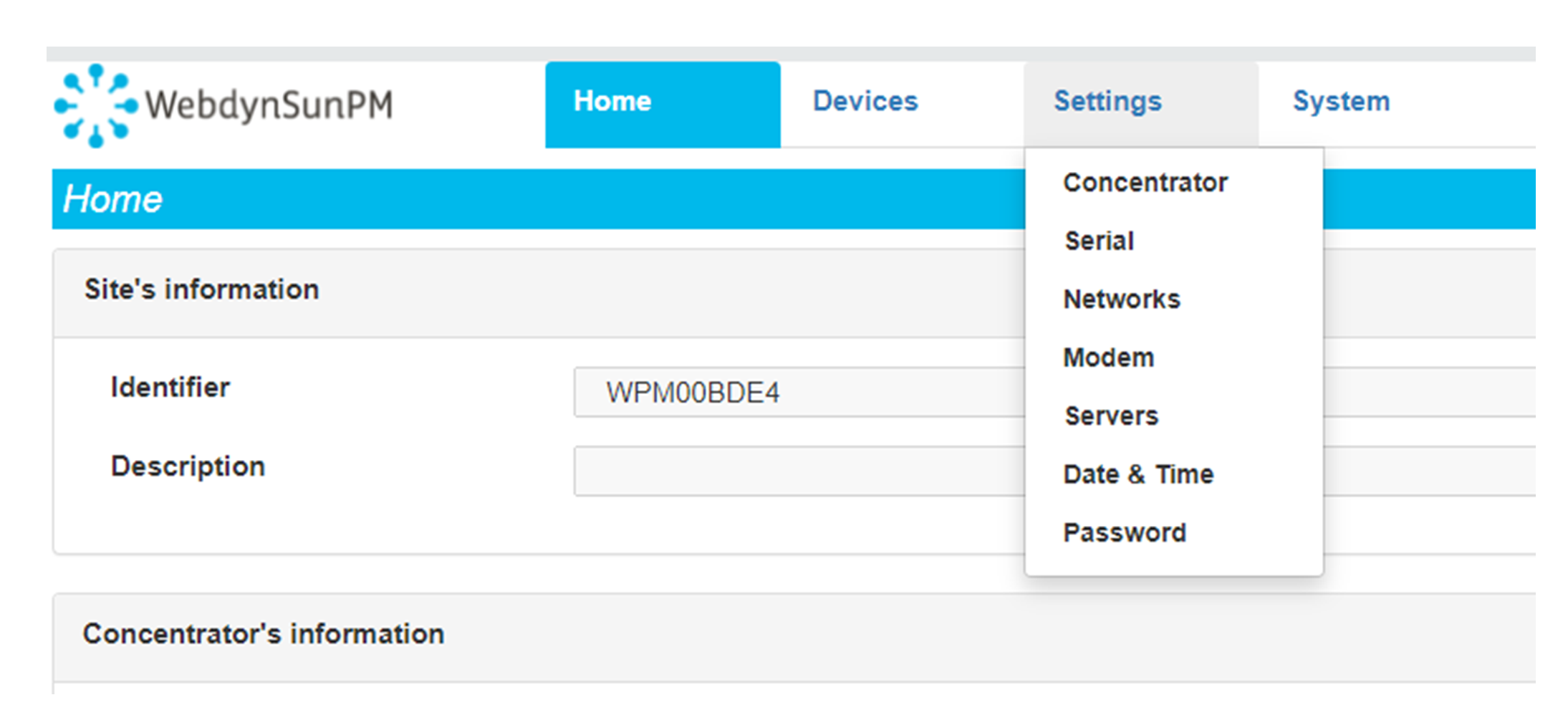
 Dans le cas d’une configuration par Ethernet, veiller à ce que les paramètres IP soient compatibles avec l’accès au serveur d’après la configuration du réseau local du concentrateur. Dans le cas d’une connexion par Ethernet, la configuration doit être compatible avec la topologie du réseau local du concentrateur afin qu’il puisse accéder aux serveurs. Cette configuration se fait via la page de configuration « Networks » (voir chapitre 3.2.2.3 : « Réseaux (Networks) »).
Dans le cas d’une connexion par modem, la configuration du modem doit être correcte avant de pouvoir effectuer une connexion. Cette configuration se fait dans la page de configuration « Modem » (voir chapitre 3.2.2.4 : « Modem »).
Les paramètres des serveurs à configurer au minimum sont les suivants :
Dans le cas d’une configuration par Ethernet, veiller à ce que les paramètres IP soient compatibles avec l’accès au serveur d’après la configuration du réseau local du concentrateur. Dans le cas d’une connexion par Ethernet, la configuration doit être compatible avec la topologie du réseau local du concentrateur afin qu’il puisse accéder aux serveurs. Cette configuration se fait via la page de configuration « Networks » (voir chapitre 3.2.2.3 : « Réseaux (Networks) »).
Dans le cas d’une connexion par modem, la configuration du modem doit être correcte avant de pouvoir effectuer une connexion. Cette configuration se fait dans la page de configuration « Modem » (voir chapitre 3.2.2.4 : « Modem »).
Les paramètres des serveurs à configurer au minimum sont les suivants :
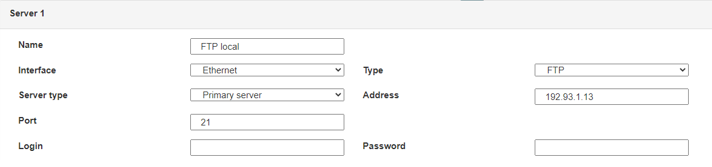 Il faut donc configurer les champs : « Interface », « Type », « Server type », « Address », « Port », « Login » et « Password ».
Les autres champs peuvent être laissés aux valeurs par défaut à condition que les répertoires aient été créés correctement auparavant. Voir chapitre 3.1.2 : « Fichiers de configuration » pour plus de détails.
Il faut donc configurer les champs : « Interface », « Type », « Server type », « Address », « Port », « Login » et « Password ».
Les autres champs peuvent être laissés aux valeurs par défaut à condition que les répertoires aient été créés correctement auparavant. Voir chapitre 3.1.2 : « Fichiers de configuration » pour plus de détails.




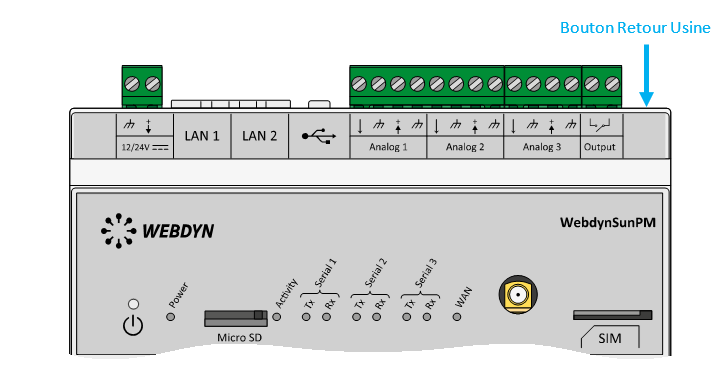 Attendre. Le concentrateur va redémarrer avec sa configuration usine.







