
Suchen Sie etwas anderes?
Details of the example scenario:
- We need to provide Internet connectivity to a network analyzer with an Ethernet interface. The LAN IP address of the Ethernet device 192.168.1.70
- We also have 3 Modbus RTU modules. One of them, with address Modbus1, is to ready 8 digital inputs. The module with address 2 allows us to read 2 analog inputs (4-20mA). The module with address 3 has 8 relay outputs
- We can change Relay1 in module 3 (by writing “1” in register 1) when the digital inputs 1, 2 and 3 (registers 1, 2 and 3) in module 1 are activated (all three of them have the value “1”). Also, Relay2 in module 3 will be changed (writing 1 in register 2) when the digital entries 4 or 5 (registers 4 and 5) in module 1 are not activated or when the analog input 1 in module 2 has a value of 10mA or less. Finally, an SMS alert should be sent and an internal relay in the Titan minidevice should be changed when the second analog input in module 2 has a value greater than 18mA
Solution: MTX-Router-Titan mini
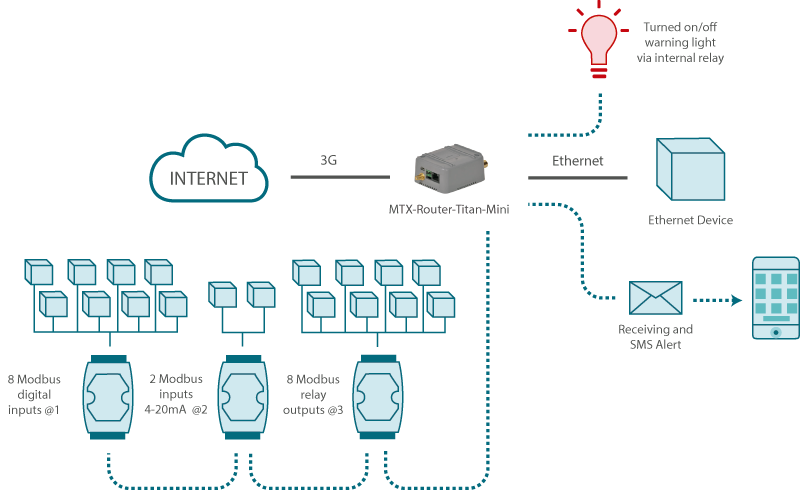
Configuration example ready for use:
We can easily load the example from the router’s web configuration environment from the menu “Other>Backup / Examples”.
Details:
- After loading the configuration on our router, we can access the router’s configuration with the default username and password: “admin” and “admin” and the IP address “192.168.1.2”
- Check the configuration in the menus “Wan>Basic Settings”, “LAN>Basic Settings”, “Serial Settings>Serial Port 1”, “Other>Titan Scripts”
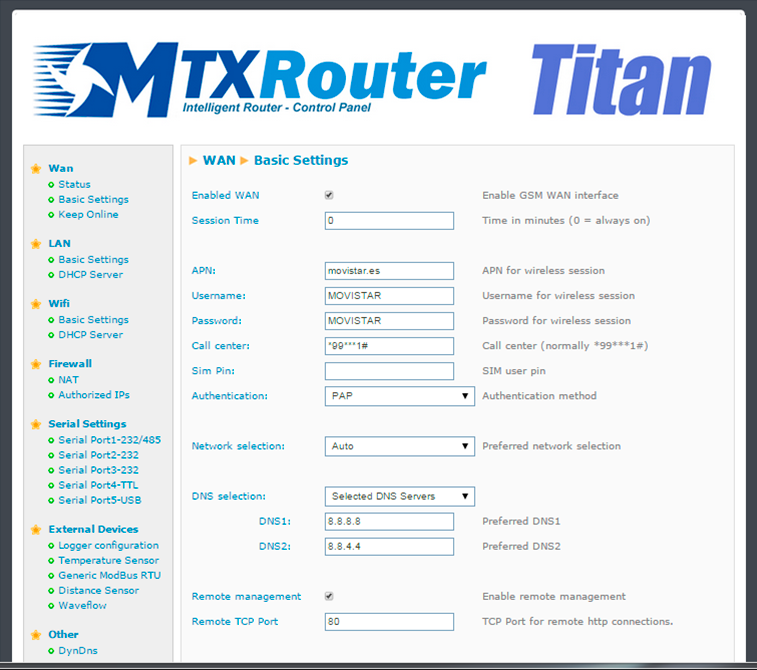
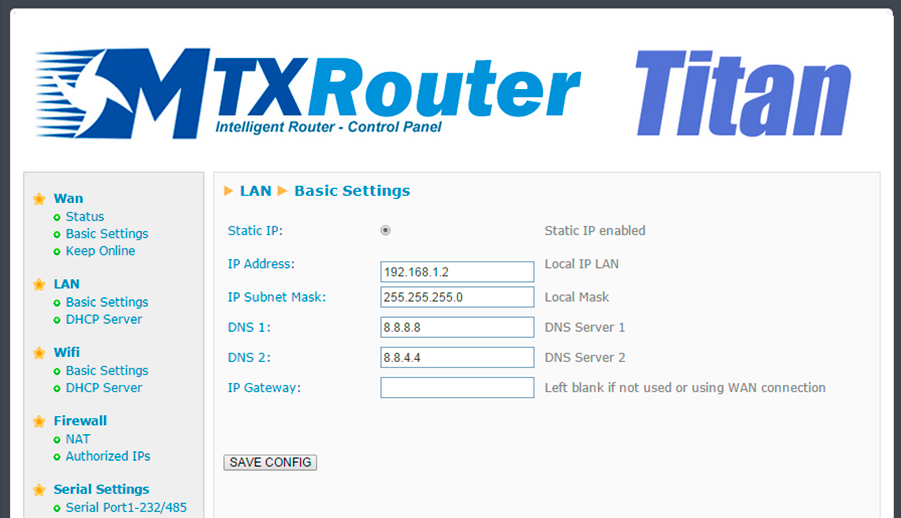
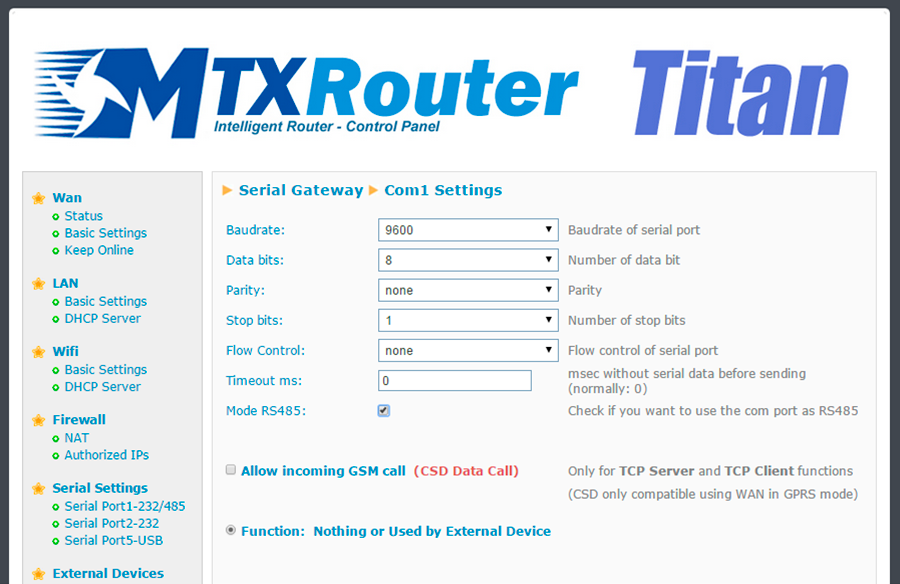
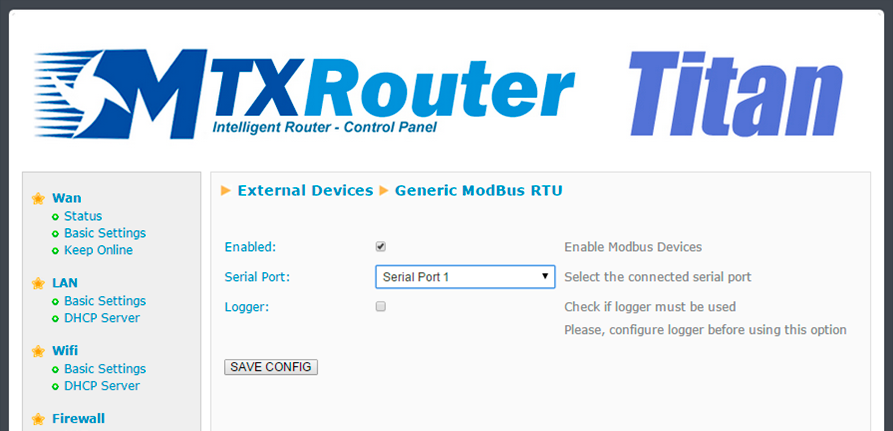
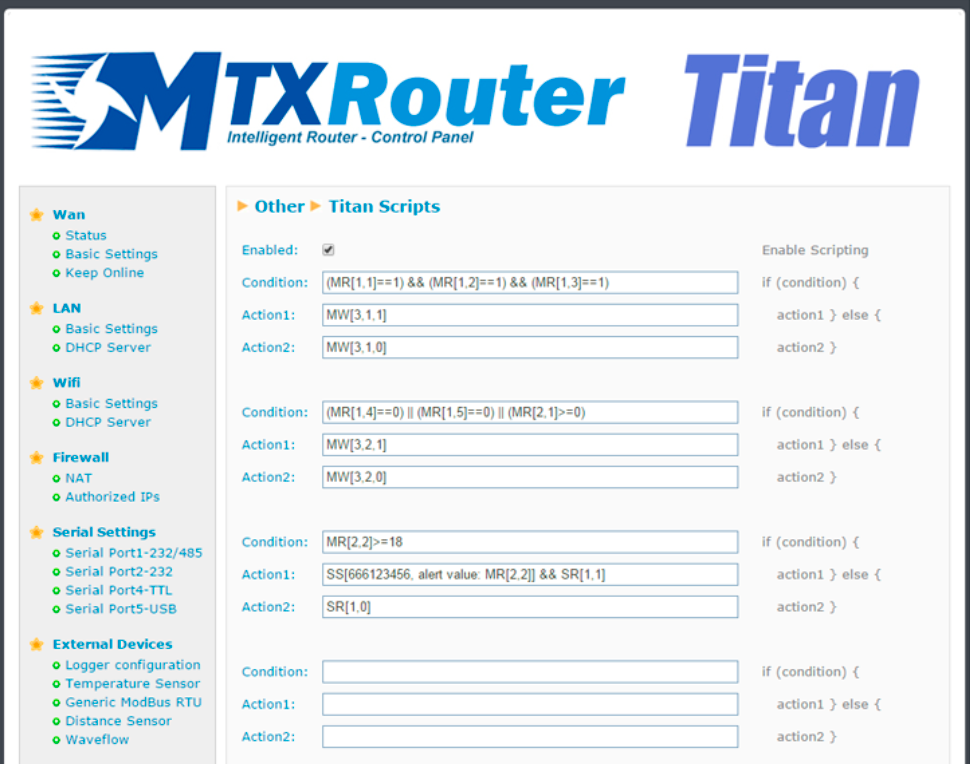
Details (2):
The exact meaning of the scripts is:
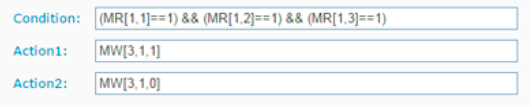
Condition: [If register 1 of the device with address 1 is equal to 1] AND [If register 2 of the device with address 1 is equal to 1] AND [If register 3 of the device with address 1 is equal to 1]
If true: write “1” in register 1 of the device with address 3
If false: write “0” in register 1 of the device with address 3
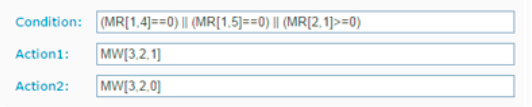
Condition: [If register 4 of the device with address 1 is equal to 0] OR [If register 5 of the device with address 1 is equal to 1] OR [If register 1 of the device with address 2 is greater than or equal to 1]
If true: write “1” in register 2 of the device with address 3
If false: write “0” in register 2 of the device with address 3
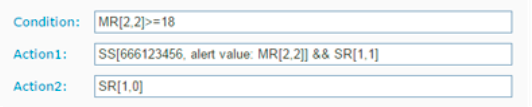
Condition: [If register 2 of the device with address 2 is greater than or equal to 18]
If true: send an SMS to the telephone 666274646 with the text “alert value: [the current value of register 2 in the device with address 2]” AND activate the Titan device’s relay 1
If false: desactivate the Titan device’s relay 1






