
Suchen Sie etwas anderes?
Table of Contents
IPSEC
Please refer to Aplication Note from our website “AN1- IPSec configuration on MTX-Router-EOS”.

Name: Indicate this connection name, must be unique.
Enabled: If enable, the connection will send tunnel connection request when it is reboot or re-connection, otherwise it is no need if disable.
Local WAN Interface: Local addresss of the tunnel.
Remote Host Address: IP/domain name of end opposite; this option can not fill in if using tunnel mode server
Local Subnet: IPSec local protects subnet and subnet mask, i.e. 192.168.1.0/24; this option can not fill in if using transfer mode.
Remote Subnet: IPSec opposite end protects subnet and subnet mask, i.e.192.168.7.0/24; this option can not fill in if using transfer mode.
Local ID: Tunnel local end identification, IP and domain name are available.
Remote ID: Tunnel opposite end identification, IP and domain name are available.
Use a Pre-Shared Key: Choose use share encryption option.

Enable Advanced Settings: Enable to configure 1st and 2nd phase information, otherwise it will auto negotiation according to opposite end.
Phase 1(IKE)
Encryption: IKE phased encryption mode.
Integrity: IKE phased integrity solution.
DHGrouptype: DH exchange algorithm.
Lifetime: Set IKE lifetime, current unit is hour, the default is 0.
Phase 2(ESP)
Encryption: ESP encryption type.
Integrity: ESP integrity solution.
Keylife: Set ESP keylife, current unit is hour, the default is 0.
IKE aggressive mode allowed: Negotiation mode adopt aggressive mode if tick; it is main mode if non-tick.
Perfect Forward Secrecy: Tick to enable PFS, non-tick to disable PFS.
Enable DPD Detection: Enable or disable this function, tick means enable.
Time Interval: Set time interval of connect detection (DPD).
Timeout: Set the timeout of connect detection.
Action: Set the action of connect detection.
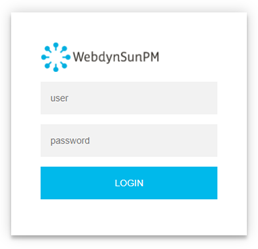 Les accès par défaut sont :
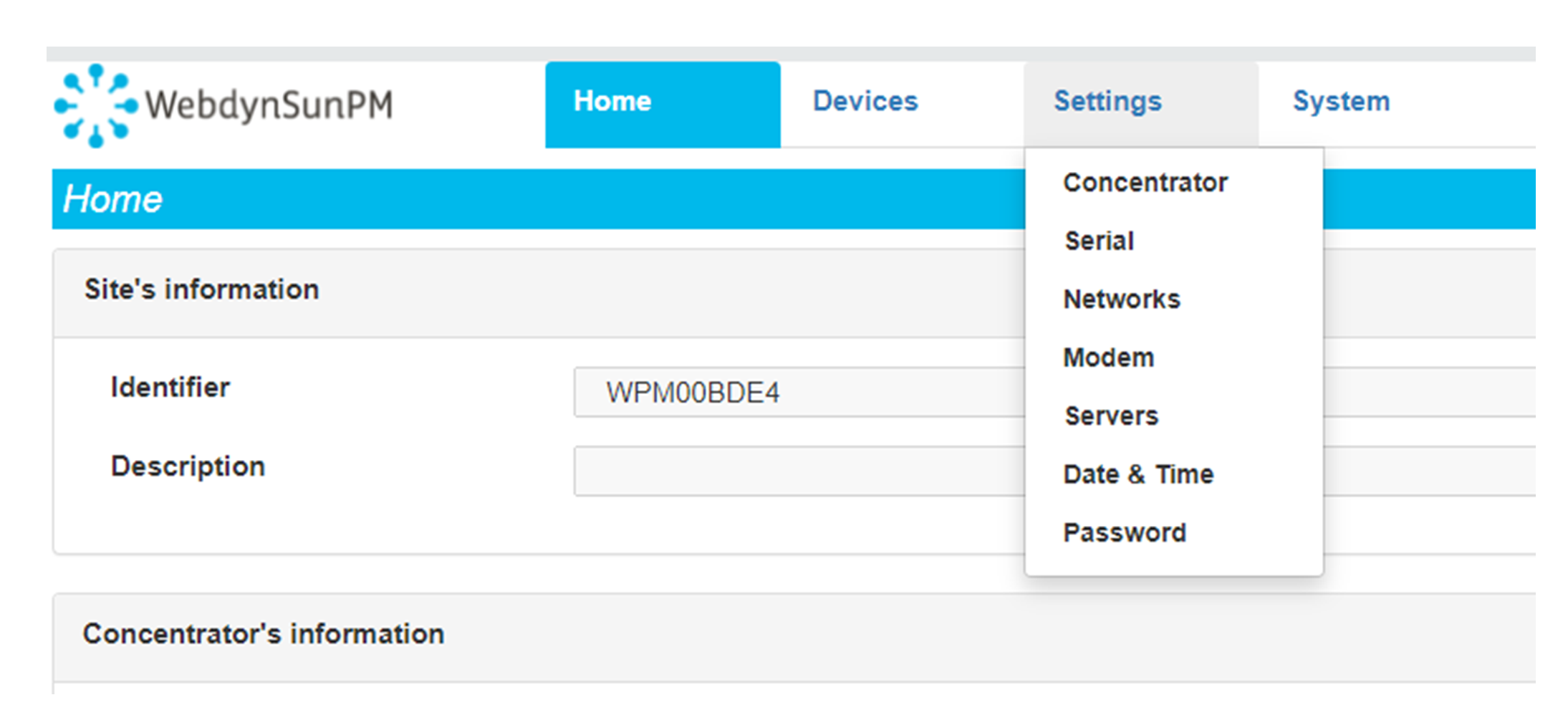 Saisir le mode de connexion « Ethernet » ou « modem » :
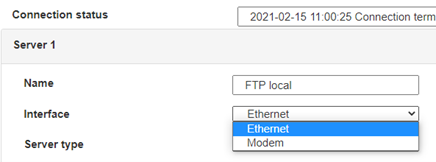 Dans le cas d’une configuration par Ethernet, veiller à ce que les paramètres IP soient compatibles avec l’accès au serveur d’après la configuration du réseau local du concentrateur. Dans le cas d’une connexion par Ethernet, la configuration doit être compatible avec la topologie du réseau local du concentrateur afin qu’il puisse accéder aux serveurs. Cette configuration se fait via la page de configuration « Networks » (voir chapitre 3.2.2.3 : « Réseaux (Networks) »).
Dans le cas d’une connexion par modem, la configuration du modem doit être correcte avant de pouvoir effectuer une connexion. Cette configuration se fait dans la page de configuration « Modem » (voir chapitre 3.2.2.4 : « Modem »).
Les paramètres des serveurs à configurer au minimum sont les suivants :
Dans le cas d’une configuration par Ethernet, veiller à ce que les paramètres IP soient compatibles avec l’accès au serveur d’après la configuration du réseau local du concentrateur. Dans le cas d’une connexion par Ethernet, la configuration doit être compatible avec la topologie du réseau local du concentrateur afin qu’il puisse accéder aux serveurs. Cette configuration se fait via la page de configuration « Networks » (voir chapitre 3.2.2.3 : « Réseaux (Networks) »).
Dans le cas d’une connexion par modem, la configuration du modem doit être correcte avant de pouvoir effectuer une connexion. Cette configuration se fait dans la page de configuration « Modem » (voir chapitre 3.2.2.4 : « Modem »).
Les paramètres des serveurs à configurer au minimum sont les suivants :
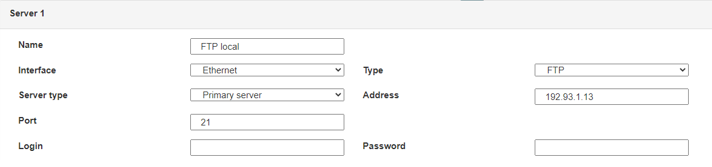 Il faut donc configurer les champs : « Interface », « Type », « Server type », « Address », « Port », « Login » et « Password ».
Les autres champs peuvent être laissés aux valeurs par défaut à condition que les répertoires aient été créés correctement auparavant. Voir chapitre 3.1.2 : « Fichiers de configuration » pour plus de détails.
Il faut donc configurer les champs : « Interface », « Type », « Server type », « Address », « Port », « Login » et « Password ».
Les autres champs peuvent être laissés aux valeurs par défaut à condition que les répertoires aient été créés correctement auparavant. Voir chapitre 3.1.2 : « Fichiers de configuration » pour plus de détails.




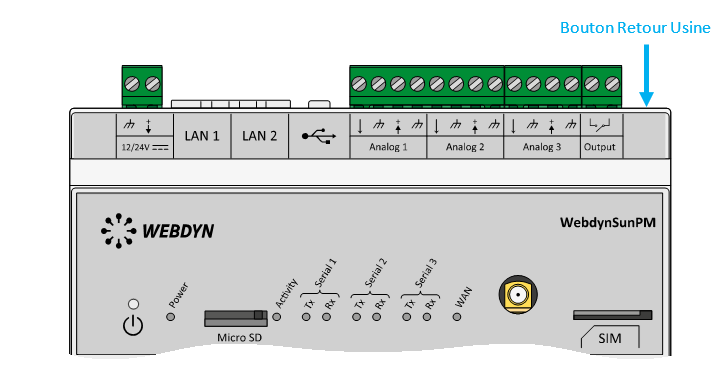 Attendre. Le concentrateur va redémarrer avec sa configuration usine.







