Aller au contenu principal
Suchen Sie etwas anderes?
Details of the example scenario:
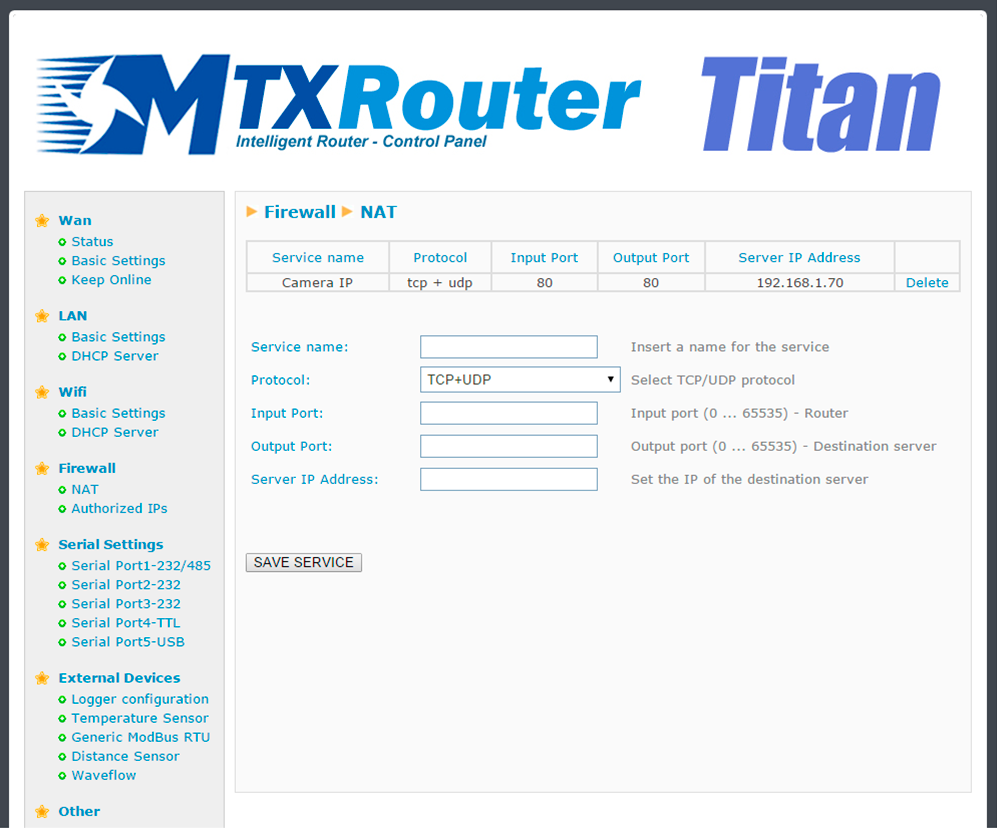
- We have an IP camera with Ethernet port that we want to provide with Internet access. The camera has a local IP address of 192.168.1.70
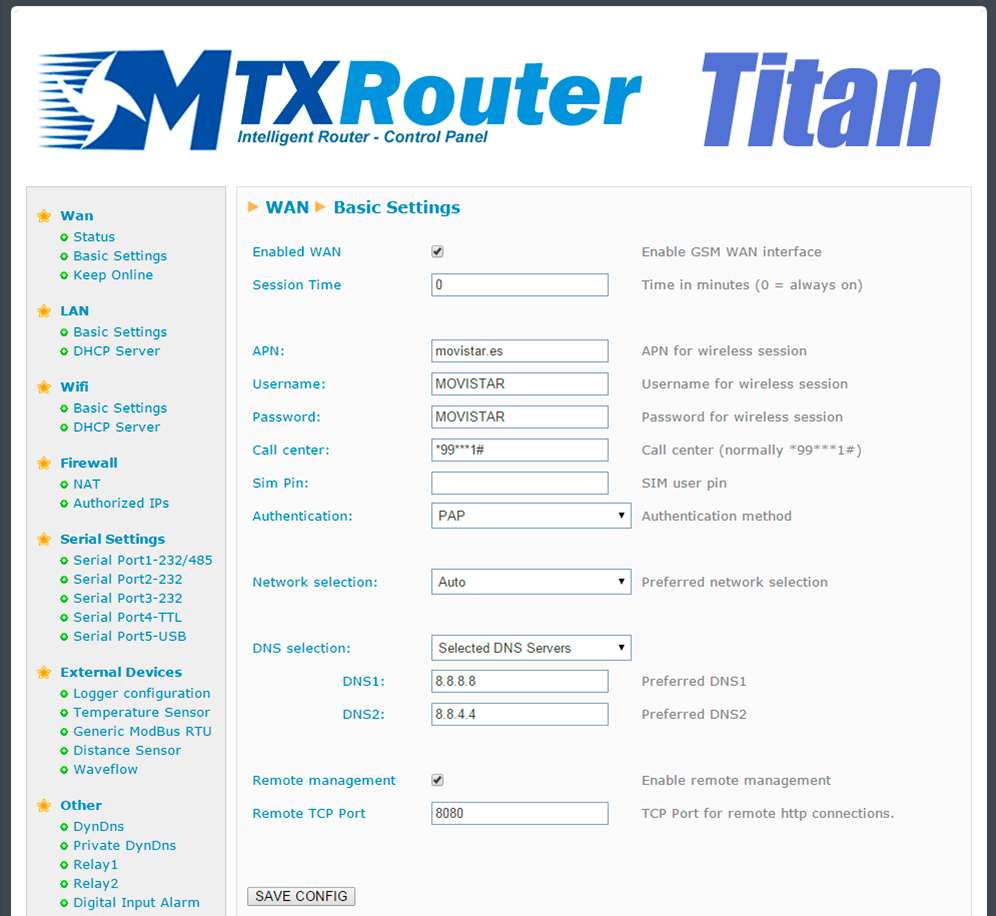
- The IP camera has an internal webserver that we can use to access the video that is being recorded. The TCP port used by the camera is TCP80 and it cannot be changed. Since we also want to be able to remotely access the router in order to access the configuration, we must change the TCP port of the remote configuration from the TCP port 80 to the TCP port 8080 so that there are not conflicts with the camera port
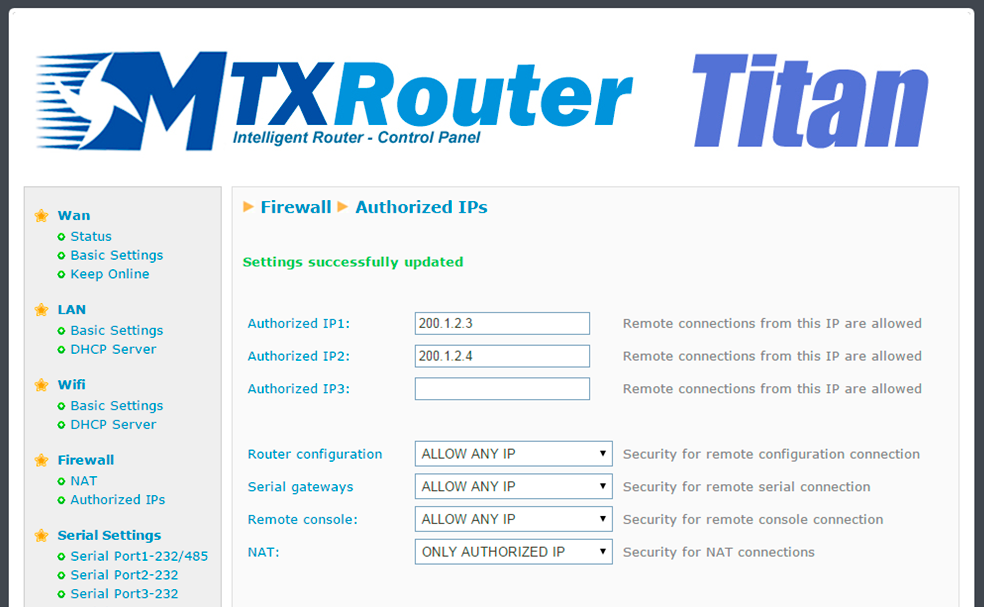
- We also need the remote configuration to have access to the Internet from any IP address. Therefore, only the IP addresses 200.1.2.3 and 200.1.2.4, corresponding to the central offices, will be able to access the IP camera
- SIM cards with fixed IP address will be used
Solution: MTX-Router-Titan mini

Configuration example ready for use:
Load the example from the web configuration environment from the menu “Other>Backup/Examples”.
Details:
- After the configuration is loaded in our router, we can access the router’s configuration with the default username and password: “admin” and “admin”, and the IP address“192.168.1.2”
- Check the configuration in the menus “Wan>Basic Settings”, “Firewall > NAT”, “Firewall > Authorized IPs”
- In order to access the TCP port 80 belonging to the camera, we need to create an NAT. In other words, we need to redirect traffic that arrives in the router’s TCP80 port to the internal IP address and TCP port belonging to the camera; i.e. to the IP 192.168.1.70
- Remember that in order to work, the camera’s IP address should be in the range of the router’s LAN IP address and we should specify the camera’s Gateway IP address with the router’s LAN IP address. In this example, it would be 192.168.1.2