
Aller au contenu principal
Suchen Sie etwas anderes?
Scenario details:
- 8 dry contact sensors need to be monitored
- In the event of a state change in any of them, an SMS message must be sent to several phone numbers. Each dry contact must have a personalized message that identifies the sensor that caused the alarms, as well as whether the alarm was activated (dry contact closed) or opened (dry contact open).
- The phone numbers that will receive the SMS alerts are +34666123456, + 34666123457 and +346661234568
- To avoid sending a high number of SMS (in case of rapid changes in a certain entry), a timeout of 60 seconds must be established per entry, that is, no more than 1 SMS per minute will be sent for changes in a certain entry
Solution: MTX-Tunnel firmware + MTX-IOT-S [4-N] 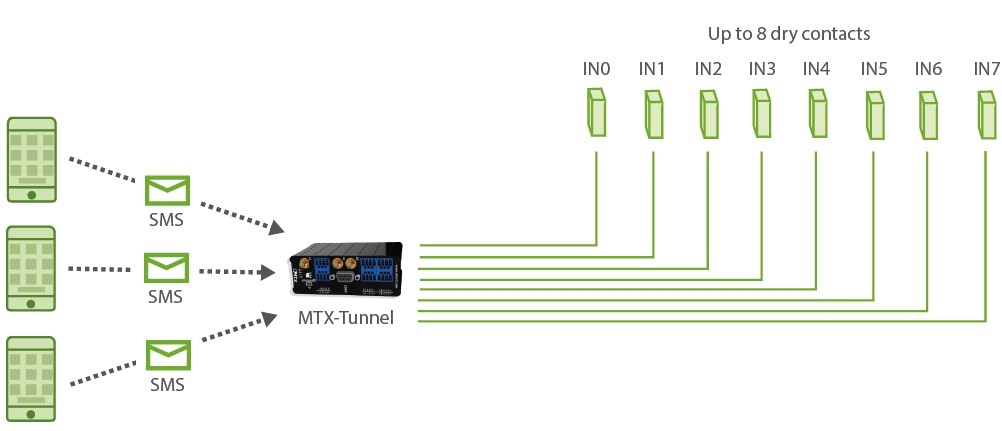
Configuration example (config.txt file) for the indicated scenario:
Details:
- The configuration of the inputs as “sms; 2; 30; GPIO0 ON alarm; GPIO0 OFF alarm” indicates the following:
“sms” > The input is configured to send alarm by SMS
“2” > The 2 indicates that the digital input is configured to send an SMS message both by activating the input (when it closes, bringing it to ground) and by deactivating the input (when it opens). If you want to send an SMS message only when closing the entry (taking it to ground), you should indicate a value of “1”
“60” > Indicates the timeout of the digital input. This means that, even if there are multiple changes in the digital input, more than 1 SMS will never be sent in those 60 seconds. Note: in the event that the entrance closes and it opens again after 5 seconds, an SMS will be received indicating the closure and, after 60 seconds, the opening
“Alarm GPIO0 ON” > Indicates a text message to be sent when the input is activated (when the input is ground)
“Alarm GPIO0 OFF” > Indicates a text message to be sent when the input is deactivated






