
Suchen Sie etwas anderes?
The MTX-Router-Titan II, MTX-Router-Titan and MTX-Router-Titan mini devices are prepared to manage a Maxbotix distance sensor with an RS232 output. For example, we can send the measured distance periodically to a web platform, send an SMS alert when the distance is longer or shorter than a predetermined value, or even change a relay when the distance falls outside a particular range (for this, take a look at the section Other >> Relay).
A typical application could be a grain or cement silo where the Maxbotix distance sensor (using ultrasound) sends the measurements periodically.
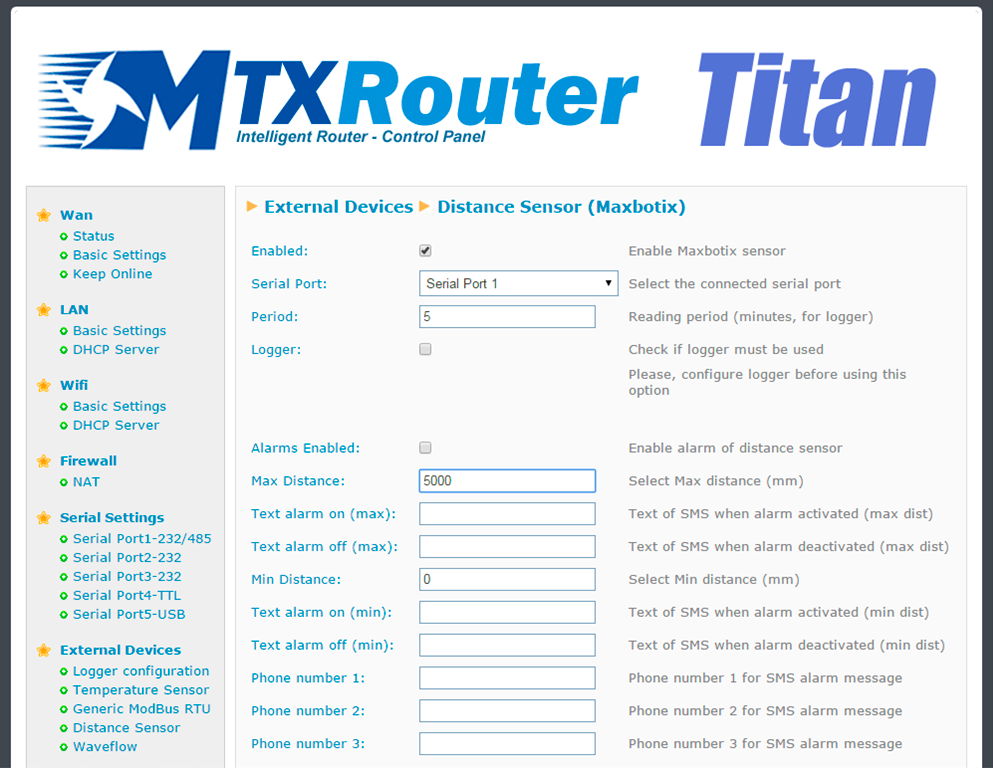
- Enabled: activate this option if we have a Maxbotix distance sensor with RS232 port connected to a serial port
- Serial Port: select the MTX-Router-Titan II, MTX-Router-Titan or MTX-Router-Titan mini device’s serial port where the Maxbotix distance sensor is connected
- Interval: if we wish to send distance readings periodically to our webserver, we can specify here the period (in minutes)
- Logger: if we wish to use the internal logger to store distance data (to later send this to a web platform), we need to select this option. This option should not be selected if we only want to send an SMS alert when the distance is outside preset margins
- Alarms enabled: select this option if we want to activate the alarms when the distance is outside margins
- Max Distance: the maximum distance before which an alarm is sent due to long distance
- Text alarm on (max): text for the alarm to be sent when the distance is considered to be long
- Text alarm off (max): text for the alarm to be sent when the long distance alert is deactivated
- Min Distance: minimum distance before which an alarm is sent due to short distance
- Text alarm on (min): text for the alarm to be sent when the distance is considered to be short
- Text alarm off (min): text for the alarm to be sent when the short distance alert is deactivated
- Phone number 1: first telephone number where the SMS alarms are to be sent
- Phone number 2: second telephone number where the SMS alarms are to be sent
- Phone number 3: third telephone number where the SMS alarms are to be sent
- Current distance: indicates the current temperature in real time if a Maxbotix distance sensor is connected
ADDITIONAL NOTES
- Once the configuration is finished, click “SAVE CONFIG” to save the changes. Remember that the router should be restarted for the changes to take effect.
- Sample format of the JSON string sent:
{“IMEI”:”358884050088207”,”TS”:”25/12/2014 17:40:09”,”TYPE”:”DIST”,”P”:”1234”,”DIS”:500,”ALDH”:0,”ALDL”:0}
Where:
– IMEI: the router’s ID number. Unique for each device
– TS: time stamp DD:MM:YYYY HH:MM:SS
– TYPE: type of string. In this case it is distance
– P: the logger’s ID field (External Devices > Logger configuration)
– DIS: distance read
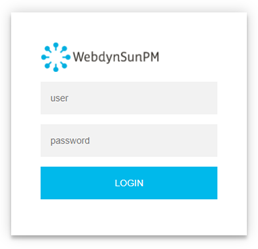 Les accès par défaut sont :
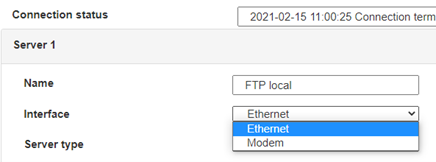
 Saisir le mode de connexion « Ethernet » ou « modem » :
 Dans le cas d’une configuration par Ethernet, veiller à ce que les paramètres IP soient compatibles avec l’accès au serveur d’après la configuration du réseau local du concentrateur. Dans le cas d’une connexion par Ethernet, la configuration doit être compatible avec la topologie du réseau local du concentrateur afin qu’il puisse accéder aux serveurs. Cette configuration se fait via la page de configuration « Networks » (voir chapitre 3.2.2.3 : « Réseaux (Networks) »).
Dans le cas d’une connexion par modem, la configuration du modem doit être correcte avant de pouvoir effectuer une connexion. Cette configuration se fait dans la page de configuration « Modem » (voir chapitre 3.2.2.4 : « Modem »).
Les paramètres des serveurs à configurer au minimum sont les suivants :
Dans le cas d’une configuration par Ethernet, veiller à ce que les paramètres IP soient compatibles avec l’accès au serveur d’après la configuration du réseau local du concentrateur. Dans le cas d’une connexion par Ethernet, la configuration doit être compatible avec la topologie du réseau local du concentrateur afin qu’il puisse accéder aux serveurs. Cette configuration se fait via la page de configuration « Networks » (voir chapitre 3.2.2.3 : « Réseaux (Networks) »).
Dans le cas d’une connexion par modem, la configuration du modem doit être correcte avant de pouvoir effectuer une connexion. Cette configuration se fait dans la page de configuration « Modem » (voir chapitre 3.2.2.4 : « Modem »).
Les paramètres des serveurs à configurer au minimum sont les suivants :
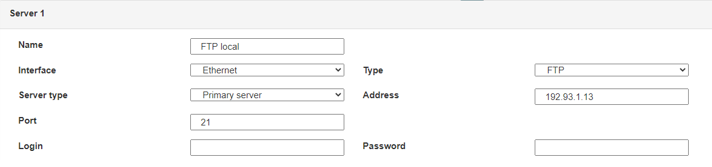 Il faut donc configurer les champs : « Interface », « Type », « Server type », « Address », « Port », « Login » et « Password ».
Les autres champs peuvent être laissés aux valeurs par défaut à condition que les répertoires aient été créés correctement auparavant. Voir chapitre 3.1.2 : « Fichiers de configuration » pour plus de détails.
Il faut donc configurer les champs : « Interface », « Type », « Server type », « Address », « Port », « Login » et « Password ».
Les autres champs peuvent être laissés aux valeurs par défaut à condition que les répertoires aient été créés correctement auparavant. Voir chapitre 3.1.2 : « Fichiers de configuration » pour plus de détails.




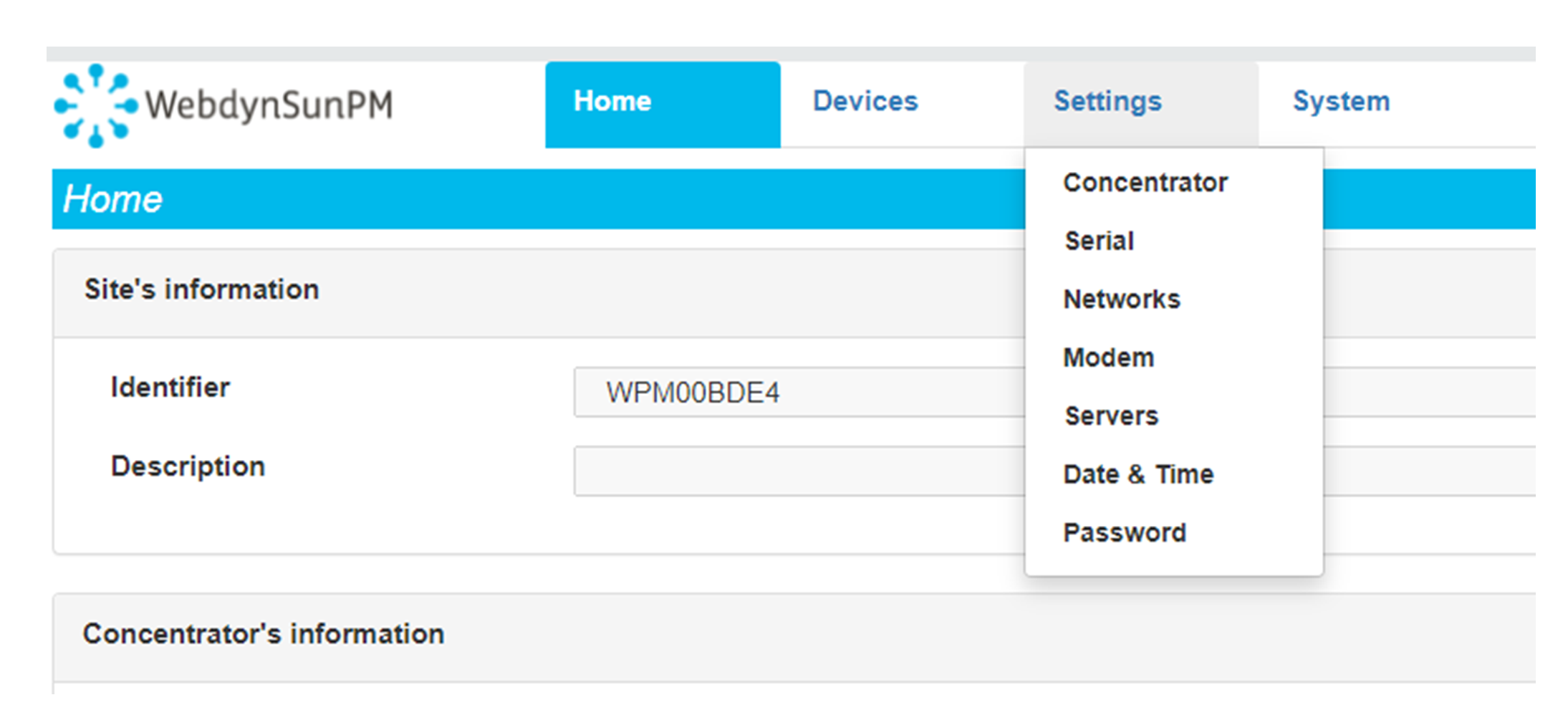
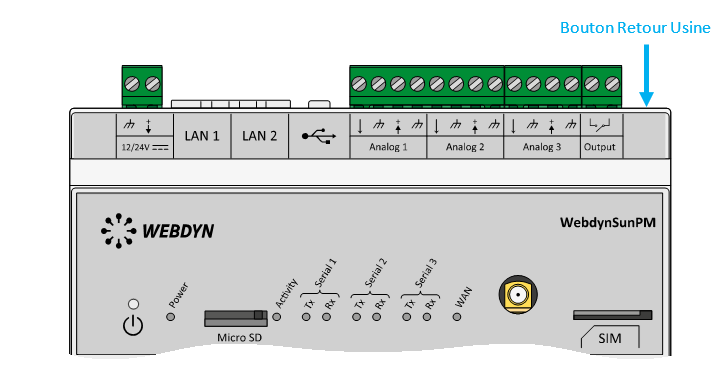 Attendre. Le concentrateur va redémarrer avec sa configuration usine.







