Titan – Example Scenario 2.4: Remotely access a USB device via Internet using a 3G router
Details of the example scenario: We have a device with a USB port (a weather station) which we want to access remotely to extract the data from the internal datalogger. The driver is of the standard USB FTDI type The router will be listening in the TCP port 20014 to create a 3G-USB gateway and remotely access […]
Titan – Example Scenario 2.3: Provide Internet access to a device with an Ethernet port. Another serial device will be connected to the router via an RS232 port in order to send SMS messages via AT commands
Details of the example scenario: We have a device with an ETH port which we want to provide with Internet access for it to send data to the Cloud. The Ethernet device has the LAN IP address 192.168.1.70 Another device, in this case with an RS232 serial port, will be connected to the router’s RS232 port. This […]
Titan – Example Scenario 2.2: Configuration to be able to access a serial device with a 3G-RS232 gateway whilst Internet access is given to a device with an Ethernet port
Details of the example scenario: We have a device with an Ethernet port which we want to provide with Internet access to send data to the Cloud. The device does not have a fixed LAN IP address, therefore we want to use DHCP in the Ethernet port We need to be able to access the router’s configuration […]
Titan – Example Scenario 2.1: Provide Internet access to a device with an Ethernet port we want to access remotely with a SIM card and a dynamic IP address along with the DynDNS or No-IP service
Details of the example scenario: We have a device with an ETH port which we want to access remotely via Internet along the TCP port 502. The Ethernet device has a local IP address of 192.168.1.70 We have to be able to access the router’s configuration remotely in the standard TCP port 80 We want […]
Titan – Example Scenario 1.4: Provide a PLC device with an Ethernet port with Internet access. WiFi devices will be able to access the Ethernet device but Internet access will be blocked
Details of the example scenario: We have a PLC device with an ETH port which we want to provide with Internet access to send data to the Cloud. The PLC has a local IP address of 192.168.1.1 Several tablets will also connect to the router via WiFi (DHCP) which will need to be able to connect to […]
Titan – Example Scenario 1.3: Provide Internet access to a device with an Ethernet port and to several devices with WiFi connectivity
Details of the example scenario: We have a device with ETH port which we want to provide with Internet access to send data to the Cloud. The Ethernet device has a local IP address of 192.168.1.70 We should also be able to provide several other WiFi devices (tablets) with Internet access. These devices will connect to […]
Titan – Example Scenario 1.2: Provide Internet access and remotely connect an IP camera with an Ethernet port
Details of the example scenario: We have an IP camera with Ethernet port that we want to provide with Internet access. The camera has a local IP address of 192.168.1.70 The IP camera has an internal webserver that we can use to access the video that is being recorded. The TCP port used by the camera is […]
Titan – Example Scenario 1.1: Provide a PLC device with an Ethernet port with access to the Internet
Details of the example scenario: We have a PLC device with ETH port that we want to provide with Internet access in order to send data to the Cloud. The PLC has a local IP address of 192.168.1.70 We need to be able to access the router’s configuration remotely in the standard TCP port 80 SIM […]
Titan – Plugin “Watchdog”
Plugins are small, independent utilities that are included in the Titan routers. If we require a peculiar characteristic that cannot be found in the current characteristics, let us know at iotsupport@mtxm2m.com. Depending on the size of the project, this could be included as a plugin for free. Given that the plugins are independent utilities, when a copy […]
Titan – AT Commands
The Titan and Titan mini routers include an internal Siemens/Gemalto modem. For 3G Titan models, this is the EH5/6/8 model, and for 4G versions of Titan it is the PLS8 model. The router’s firmware allows AT commands to be sent directly to the internal modem via several interfaces: Via a serial port Via a 3G-Serial gateway (via […]
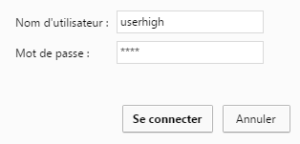
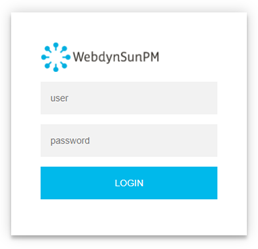 Les accès par défaut sont :
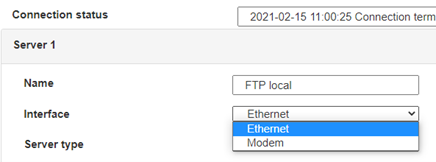
 Saisir le mode de connexion « Ethernet » ou « modem » :
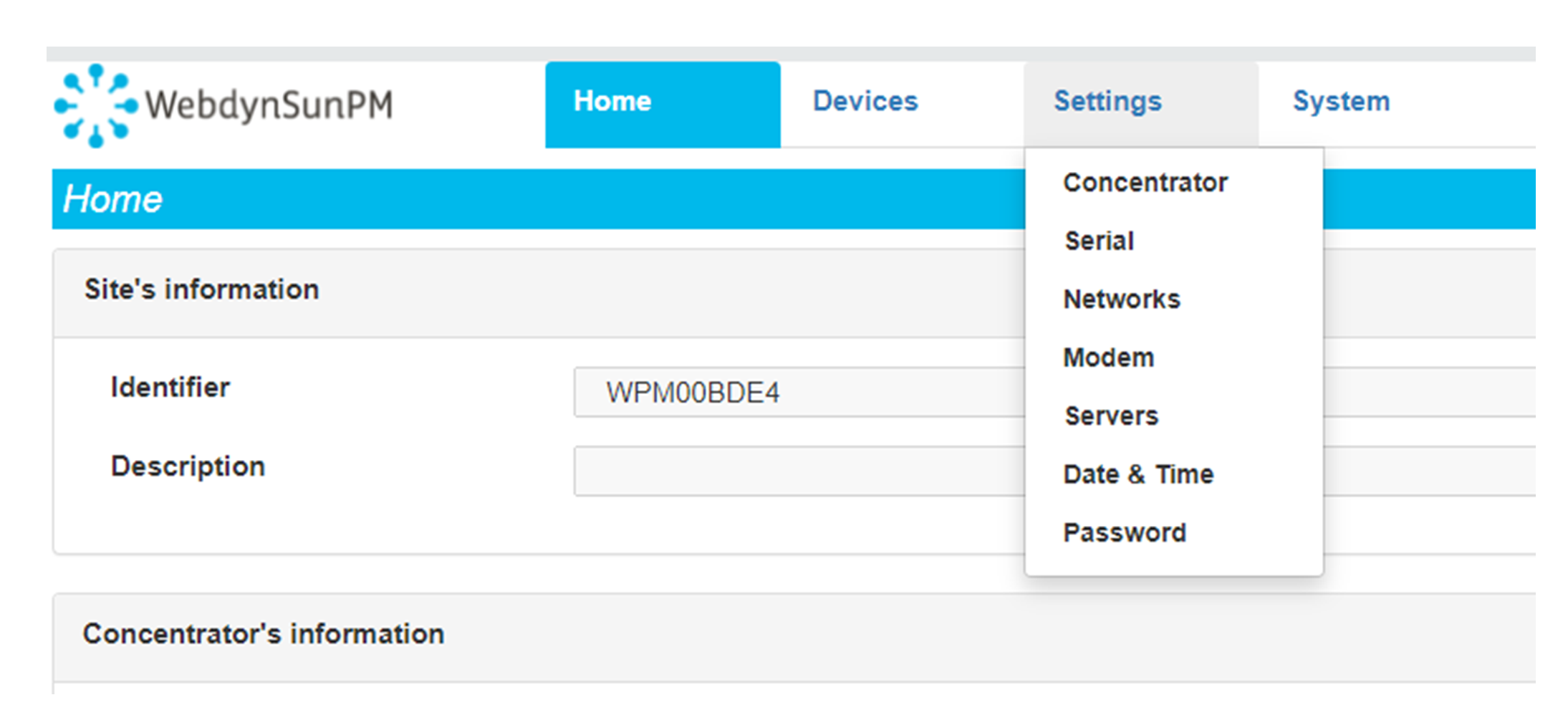
 Dans le cas d’une configuration par Ethernet, veiller à ce que les paramètres IP soient compatibles avec l’accès au serveur d’après la configuration du réseau local du concentrateur. Dans le cas d’une connexion par Ethernet, la configuration doit être compatible avec la topologie du réseau local du concentrateur afin qu’il puisse accéder aux serveurs. Cette configuration se fait via la page de configuration « Networks » (voir chapitre 3.2.2.3 : « Réseaux (Networks) »).
Dans le cas d’une connexion par modem, la configuration du modem doit être correcte avant de pouvoir effectuer une connexion. Cette configuration se fait dans la page de configuration « Modem » (voir chapitre 3.2.2.4 : « Modem »).
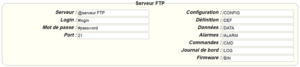
Les paramètres des serveurs à configurer au minimum sont les suivants :
Dans le cas d’une configuration par Ethernet, veiller à ce que les paramètres IP soient compatibles avec l’accès au serveur d’après la configuration du réseau local du concentrateur. Dans le cas d’une connexion par Ethernet, la configuration doit être compatible avec la topologie du réseau local du concentrateur afin qu’il puisse accéder aux serveurs. Cette configuration se fait via la page de configuration « Networks » (voir chapitre 3.2.2.3 : « Réseaux (Networks) »).
Dans le cas d’une connexion par modem, la configuration du modem doit être correcte avant de pouvoir effectuer une connexion. Cette configuration se fait dans la page de configuration « Modem » (voir chapitre 3.2.2.4 : « Modem »).
Les paramètres des serveurs à configurer au minimum sont les suivants :
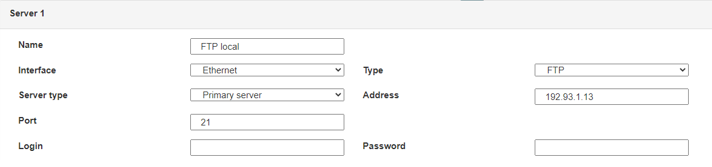 Il faut donc configurer les champs : « Interface », « Type », « Server type », « Address », « Port », « Login » et « Password ».
Les autres champs peuvent être laissés aux valeurs par défaut à condition que les répertoires aient été créés correctement auparavant. Voir chapitre 3.1.2 : « Fichiers de configuration » pour plus de détails.
Il faut donc configurer les champs : « Interface », « Type », « Server type », « Address », « Port », « Login » et « Password ».
Les autres champs peuvent être laissés aux valeurs par défaut à condition que les répertoires aient été créés correctement auparavant. Voir chapitre 3.1.2 : « Fichiers de configuration » pour plus de détails.




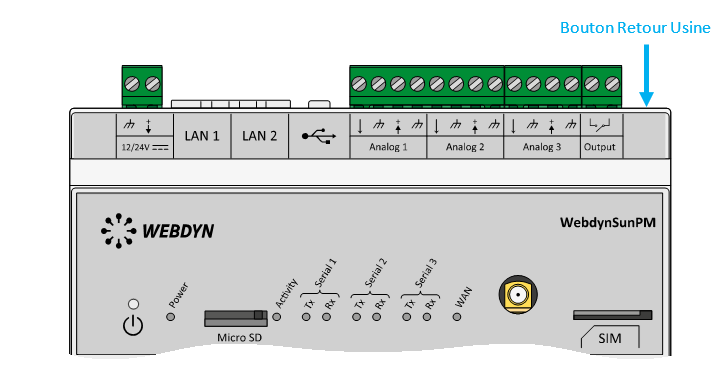 Attendre. Le concentrateur va redémarrer avec sa configuration usine.