
Start by checking that the computer’s IP parameters are compatible with the WebdynSunPM IP address (by default 192.168.1.12)
Launch a web browser (Chrome, Firefox, Edge, Safari, etc.) and enter the WebdynSunPM concentrator IP address in the address bar. An authentication page is displayed:
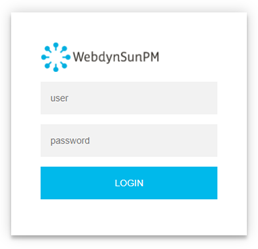
The default accesses are:
| Identifiant | Mot de passe |
| userhigh | high |
Click “Login”
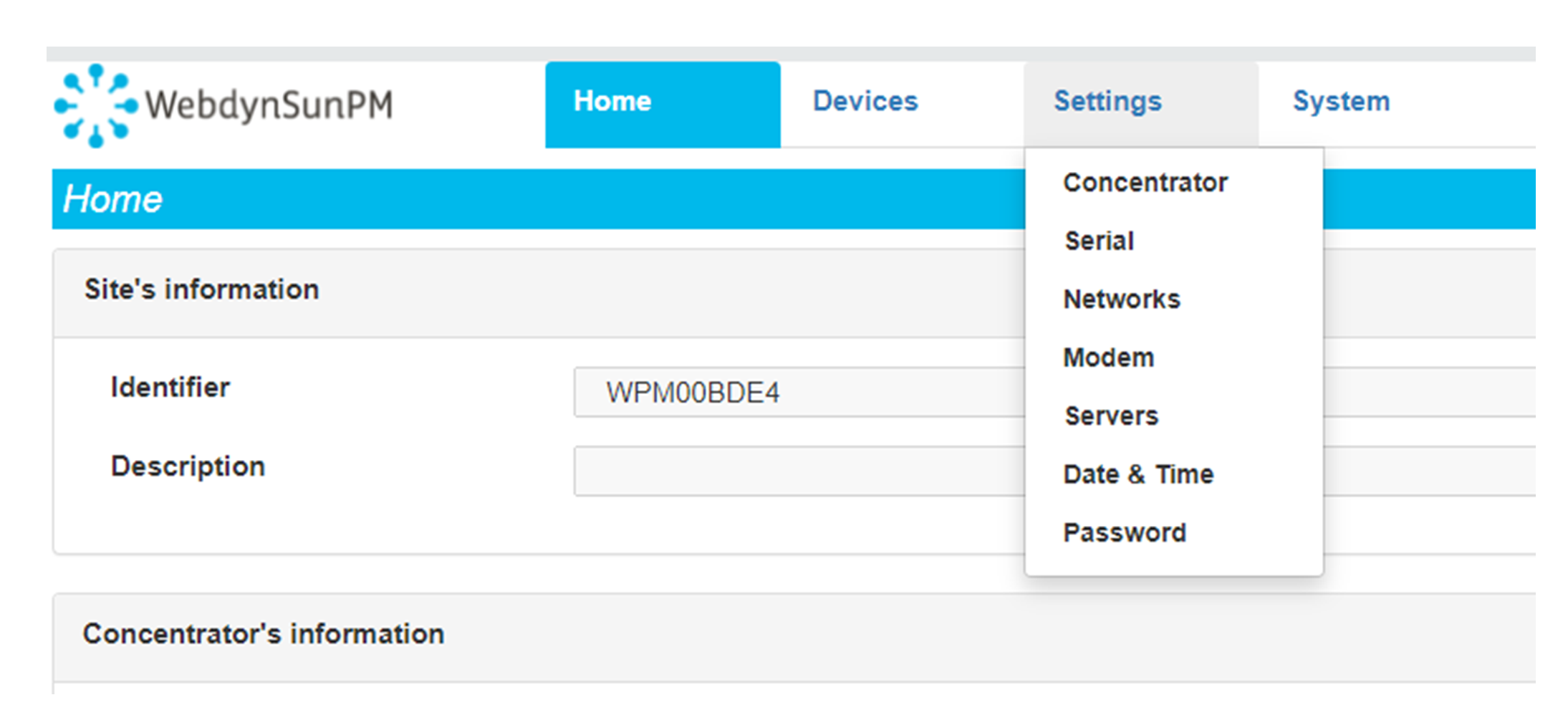 Enter the “ethernet” or “modem” connection type:
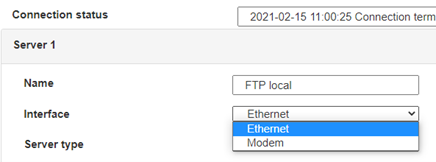 For an ethernet configuration, make sure the IP parameters are compatible with server access according to the concentrator local network configuration. For an ethernet connection, the configuration must be compatible with the concentrator’s local network topology so that it can access the servers. This configuration is done from the “Networks” configuration page (see section 3.2.2.3: “Networks”).
For a modem connection, the modem configuration must be correct before a connection can be set up. This configuration is done from the “Modem” configuration page (see section 3.2.2.4: “Modem”).
The parameters for the servers to be configured are at least the following:
For an ethernet configuration, make sure the IP parameters are compatible with server access according to the concentrator local network configuration. For an ethernet connection, the configuration must be compatible with the concentrator’s local network topology so that it can access the servers. This configuration is done from the “Networks” configuration page (see section 3.2.2.3: “Networks”).
For a modem connection, the modem configuration must be correct before a connection can be set up. This configuration is done from the “Modem” configuration page (see section 3.2.2.4: “Modem”).
The parameters for the servers to be configured are at least the following:
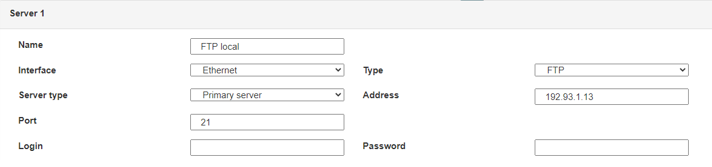 Therefore the following fields need to be configured: “Interface”, “Type”, “Server type”, “Address”, “Port”, “Login” and “Password”.
The other fields can be left at the default values subject to the directories having been properly created beforehand. See section 3.1.2: “Configuration files” for more details.
Therefore the following fields need to be configured: “Interface”, “Type”, “Server type”, “Address”, “Port”, “Login” and “Password”.
The other fields can be left at the default values subject to the directories having been properly created beforehand. See section 3.1.2: “Configuration files” for more details.




Access to the FTP server depends on the selected solution.
If you have chosen a portal, it will give you the FTP server access identifiers.
If you want to use your own FTP server, contact your network administrator.
For all other configurations, and to determine the best solution, contact the Webdyn sales department which will advise you and direct you to the relevant contacts: contact@webdyn.com
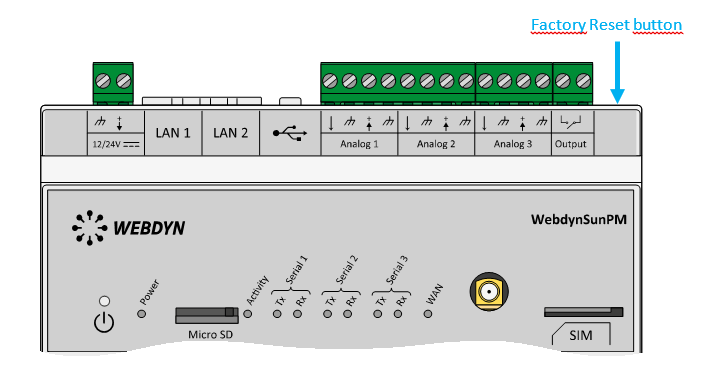 Wait. The concentrator will reboot using its factory configuration.

It is possible to send commands to connected devices if they accept them.
The WebdynSunPM can store up to 50Mb of uncompressed data per declared device.
If there is no access to the remote server, the WebdynSunPM concentrator can store the data for several months.
The maximum data storage time varies depending on the amount of data to be collected and the configured collection frequency.
The average storage time varies from 3 to 4 months.
The average service life of the battery is 5 years.
It may vary depending on the installation environment.
All our products are guaranteed for 2 years.
For more information, read the general terms and conditions of sale.
The data volume depends on the exchanged files.
The average is about 5 MB per month but this varies from one installation to another.

The default accesses are:
Username: userhigh
Password: high
There are two types of configuration: via the web interface or via SMS.
Configuration of the web interface:
1/ Go to the configuration page with the gateway IP address (default 192.168.1.12)
2/ Go to the Configuration tab.
3/ Select either the Ethernet or modem connection mode:
If connecting via the local network (Ethernet):
Please note, all fields must be completed in accordance with the configuration of your local network.

If connecting via the GPRS network (Modem):

4/ Edit the FTP server parameters.

5/ Confirm the changes.
6/ Restart the WebdynSun gateway using the new settings.
7/ In the menu, click on the “installation” tab, followed by the “connection” sub-tab and start the connection.
Configuration via SMS:
This configuration method requires the use of an active SIM card with a data option and a pin code that must be either “0000” or disabled.
The SIM card must be inserted into the unit before connection to the mains supply.
After connection to the mains supply, send the following SMS messages to the number of the previously inserted SIM card:
SMS for configuring the APN:
After replacing the generic fields with those of your operator, send the following SMS*:
apn=apn_name;usr=user_name;pwd=password;
Replace the above SMS fields with the following information:
SMS for FTP configuration:
After replacing the generic fields with those of your FTP server, send the following SMS*:
Ftp=server_name:user_name:password:port;
Replace the above SMS fields with the following information:
Connection SMS:
Send the word “connect” by SMS* to launch a connection to the FTP server
*Please note: the formatting of the SMS must be exactly identical to that shown above (e.g.: no spaces between characters, etc.)
There are 2 ways of resetting the gateway.
NB : Resetting the gateway restores the configuration to its original state. Please note: data will be saved but the specific settings will not. Therefore, all the settings must be reconfigured.
Commands can be sent to connected devices with the exception of certain inverters and Modbus slaves that do not accept write requests.
If the device allows it, command files can be created on the FTP server.
The WebdynSun has a memory of about 100MB.
Therefore, if the remote server cannot be accessed, the WebdynSun gateway can backup data for several months.
The maximum data backup time varies depending on the amount of data to be collected.
The average backup time ranges from 3 to 4 months.
The average battery life is 5 years.
It may vary depending on the installation environment.
Yes, data may be sent to a PLC if the latter is equipped with a Modbus protocol.
The “Report” configuration file allows the WebdynSun gateway to automatically write the values read on a Modbus slave
All our products are guaranteed for 2 years.
For further information, please see our general conditions of sale.
Files uploaded by the WebdynSun gateway are compressed in Gz format.
The data contained in these files is structured in csv format.
The data volume depends on the files exchanged.
The average is about 5 MB per month but this varies from one installation to another.
Different brands of inverter may be connected to the RS485(B) port or via the Ethernet port if the inverter protocol is based on the Modbus protocol (RTU or TCP).
However, different brands of inverters cannot be connected to the same RS485(A) port.

For the WM-bus module data to be transmitted, you must:


A module may be defined in a unique way by all the fields below:
If a module’s data is encrypted, the encryption key for this module can be defined in the “Key” field.
To simplify the entry of the modules to be processed, a module group can be defined that conforms to the fields entered. The other fields will then be left empty (below is an example of a configuration for retrieving all Webdyn manufacturer (WDN) modules with the encryption key “00000000000000000000000000000000”.
Note: In order for the modules (filters) entered to be taken into account, the “ByPass filter” mode must be deactivated.
Click here to read the media file
Click here to read the units file
For the WM-bus module data to be transmitted, you must:
A module may be defined in a unique way by all the fields below:
If a module’s data is encrypted, the encryption key for this module can be defined in the “Key” field.
To simplify the entry of the modules to be processed, a module group can be defined that conforms to the fields entered. The other fields will then be left empty (below is an example of a configuration for retrieving all Webdyn manufacturer (WDN) modules with the encryption key “00000000000000000000000000000000”.
Note: In order for the modules (filters) entered to be taken into account, the “ByPass filter” mode must be deactivated.
Click here to read the media file
Click here to read the units file