Zum Hauptinhalt springen
Suchen Sie etwas anderes?
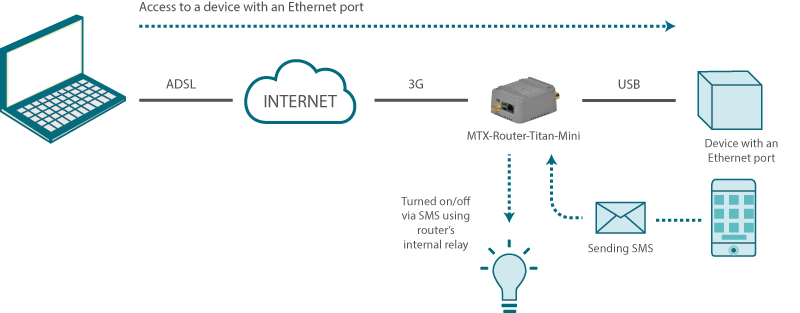
Details of the example scenario:
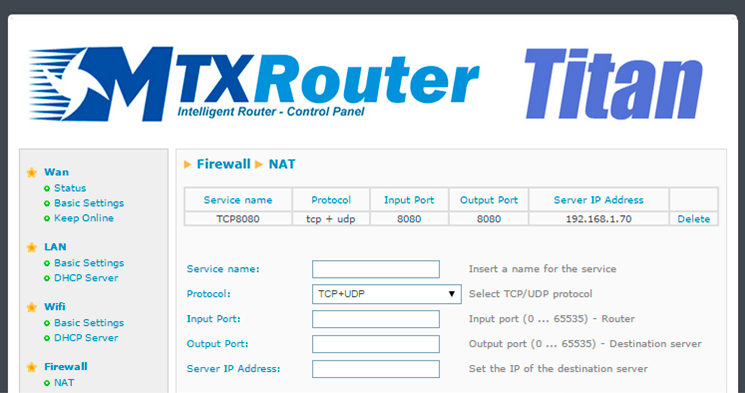
- We have a device with an ETH port which we want to provide with Internet access to send data to the Cloud. The Ethernet device has the IP address 192.168.1.70
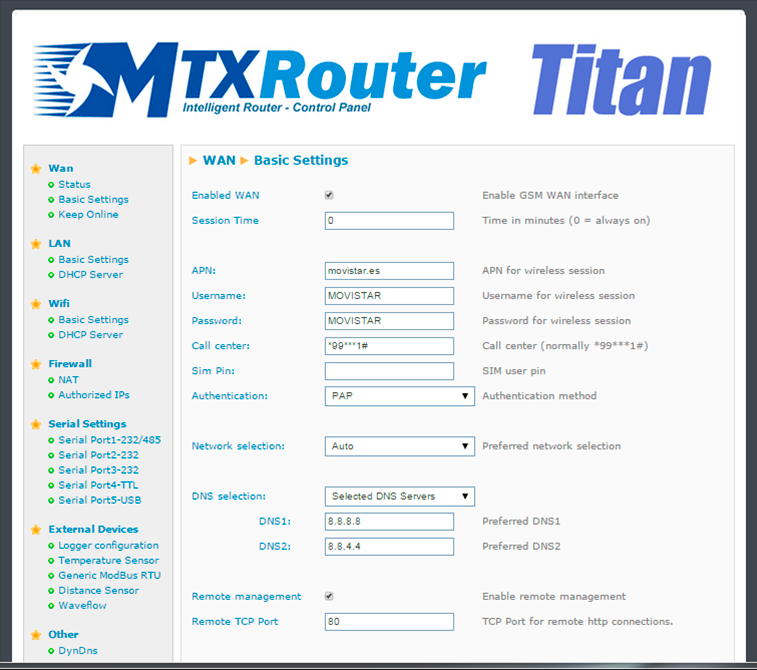
- We have to be able to remotely access the router’s configuration in the standard TCP port 80 as well as the Ethernet device via the TCP port 8080
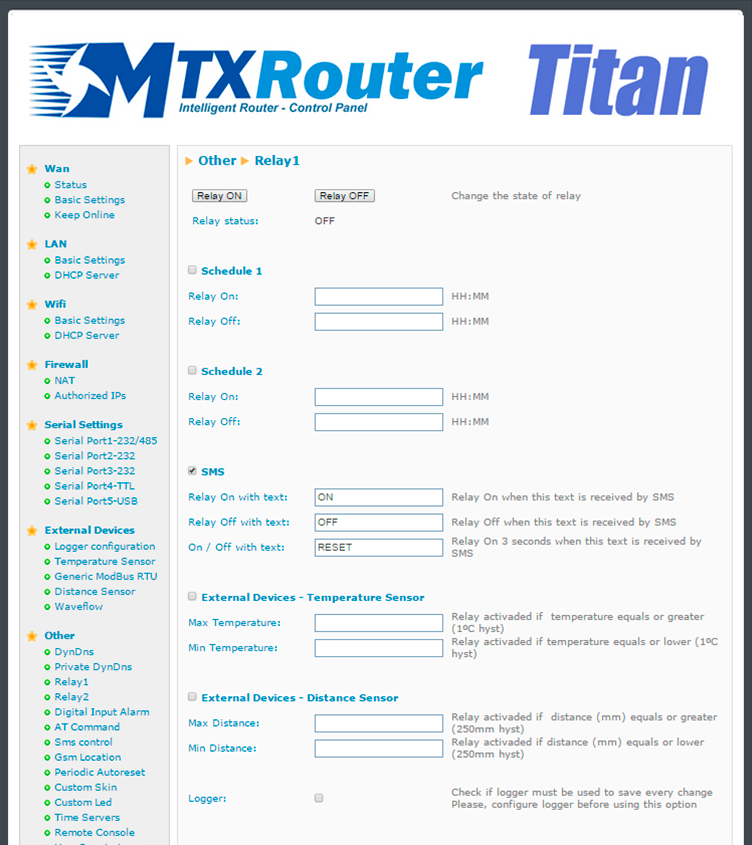
- The router must also be configured so we can use the internal relay to activate/deactivate the poour supply of an additional device. This activation/deactivation can be done via the router’s webserver or via SMS. The text will be “ON” to activate the relay and “OFF” to deactivate it. Finally, we need to be able to carry out a reset of the external device’s poour supply without needing to send two SMSs. For this, we will send the text “RESET” which will deactivate the relay for three seconds
Solution: MTX-Router-Titan mini
Configuration example ready for use:
We can easily load the example from the router’s web configuration environment from the menu “Other>Backup / Examples”.
Details:
- After the configuration is loaded in our router, we can access the router’s configuration with the default username and password: “admin” and “admin”, and the IP address“192.168.1.2”
- Check the configuration in the menus “Wan>Basic Settings”, ,”Firewall>Nat”, “Other>Relay 1”