
Webdyn is proud to introduce EasyDot, a compact and powerful industrial IoT modem designed to simplify connectivity and enhance efficiency across industries. Whether you’re optimizing factory processes, implementing smart building solutions, or improving energy management, EasyDot is your go-to solution for seamless IoT integration.
Why choose EasyDot device?
 Compact & Versatile: A compact design with big capabilities, perfect for any IoT environment. Powerful Connectivity: RS232 and RS485 interfaces with 4G/2G connectivity – bridging industrial control and smart communication. Advanced Software: The embedded μTITAN software enables secure, efficient data management without additional hardware. Seamless Integration: Modbus RTU with JSON over MQTT(s) & HTTP(s) for flexible industrial IoT applications. Robust data protection: SSL/TLS and CA certificates for maximum security. Rugged Design: Built for extreme conditions (-40°C to 85°C), ensuring reliability in any environment.

EasyDot in Action 🎬
Imagine a manufacturing plant where equipment seamlessly communicates in real time, reducing downtime and improving efficiency. With EasyDot, this vision becomes reality. Whether it’s monitoring HVAC systems, controlling lighting, or managing remote assets, EasyDot enables businesses to optimize operations with secure and real-time connectivity.
Examples of Key Applications:
Industry 4.0 – Smart manufacturing & predictive maintenance Energy & Smart Grids – Remote monitoring & control Smart Buildings – HVAC, lighting & environmental monitoring Logistics & Asset Tracking – Real-time data access & automation
Get Started Today!
Webdyn’s EasyDot is the future of industrial IoT connectivity. Ready to enhance efficiency, security, and scalability for your IoT projects? Let’s connect 🫱🏻🫲🏻

New EasyDot- Main features
4G/2G, Webserver, Modbus RTU, RS232/485, MQTT(s), HTTP(s), DynDNS No-IP, mini USB, µTITAN software...

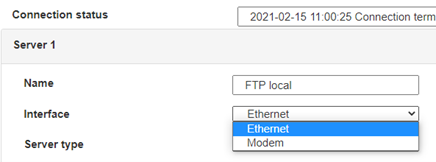
 Enter the “ethernet” or “modem” connection type:
 For an ethernet configuration, make sure the IP parameters are compatible with server access according to the concentrator local network configuration. For an ethernet connection, the configuration must be compatible with the concentrator’s local network topology so that it can access the servers. This configuration is done from the “Networks” configuration page (see section 3.2.2.3: “Networks”).
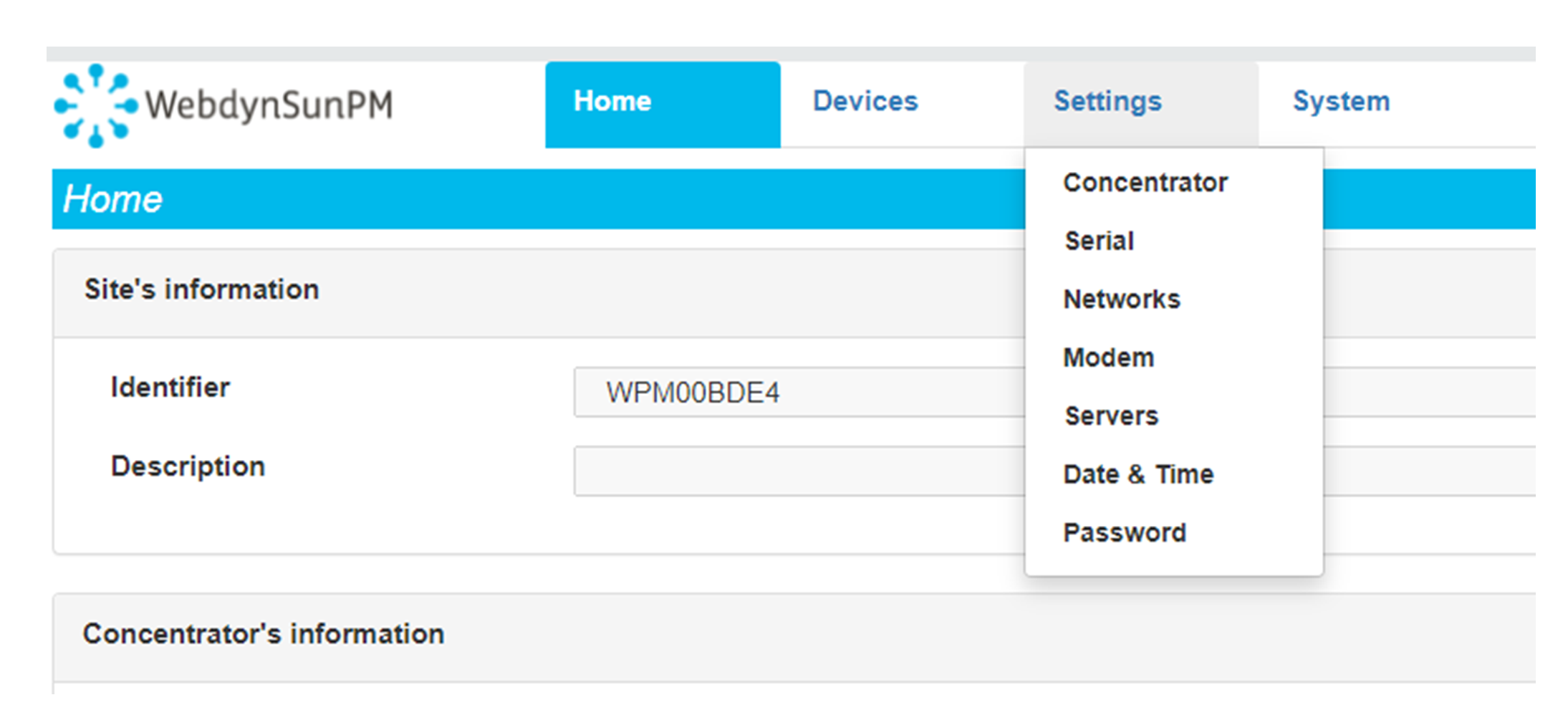
For a modem connection, the modem configuration must be correct before a connection can be set up. This configuration is done from the “Modem” configuration page (see section 3.2.2.4: “Modem”).
The parameters for the servers to be configured are at least the following:
For an ethernet configuration, make sure the IP parameters are compatible with server access according to the concentrator local network configuration. For an ethernet connection, the configuration must be compatible with the concentrator’s local network topology so that it can access the servers. This configuration is done from the “Networks” configuration page (see section 3.2.2.3: “Networks”).
For a modem connection, the modem configuration must be correct before a connection can be set up. This configuration is done from the “Modem” configuration page (see section 3.2.2.4: “Modem”).
The parameters for the servers to be configured are at least the following:
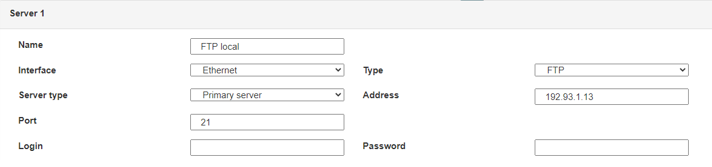 Therefore the following fields need to be configured: “Interface”, “Type”, “Server type”, “Address”, “Port”, “Login” and “Password”.
The other fields can be left at the default values subject to the directories having been properly created beforehand. See section 3.1.2: “Configuration files” for more details.
Therefore the following fields need to be configured: “Interface”, “Type”, “Server type”, “Address”, “Port”, “Login” and “Password”.
The other fields can be left at the default values subject to the directories having been properly created beforehand. See section 3.1.2: “Configuration files” for more details.




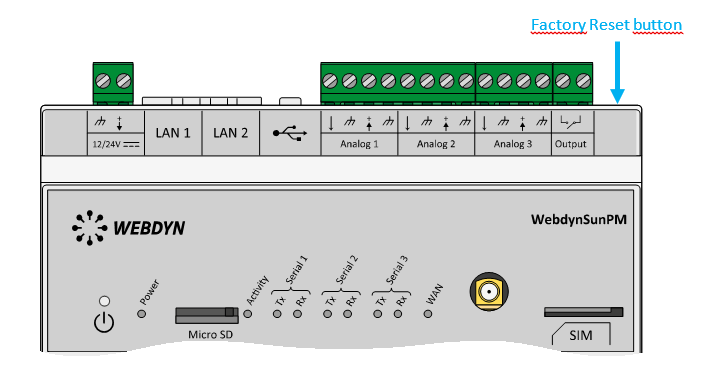 Wait. The concentrator will reboot using its factory configuration.







