
Webdyn announces the launch of KARE, its new IoT device management platform designed to simplify and optimize the management of connected device fleets.
As IoT ecosystems grow in scale and complexity, ensuring efficient deployment, monitoring, and maintenance becomes critical. KARE addresses these challenges by providing a centralized platform that enables businesses to manage their devices seamlessly and securely.
Built to support large-scale deployments, KARE allows users to connect, organize, and control their entire device fleet from a single interface, improving operational efficiency and reducing maintenance efforts.
What are the key advantages?
The platform offers a comprehensive set of features, including:
 Centralized device inventory and fleet management
Real-time monitoring, alerts, and event tracking
Remote configuration and control of devices
Advanced dashboards and data visualization tools
Secure infrastructure with role-based access and user management

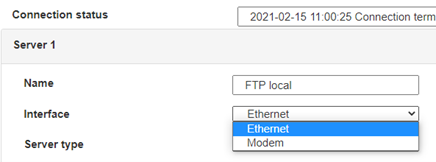
 Enter the “ethernet” or “modem” connection type:
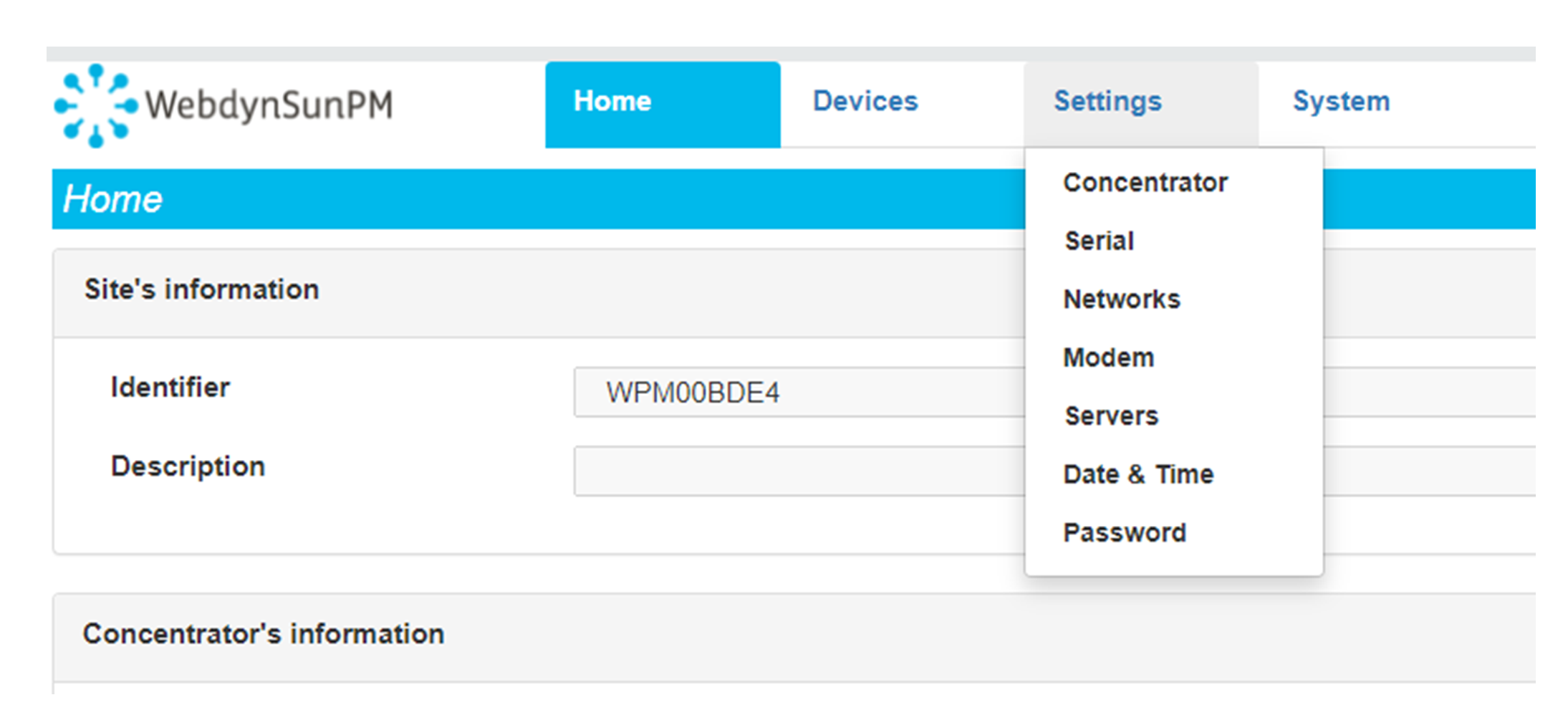
 For an ethernet configuration, make sure the IP parameters are compatible with server access according to the concentrator local network configuration. For an ethernet connection, the configuration must be compatible with the concentrator’s local network topology so that it can access the servers. This configuration is done from the “Networks” configuration page (see section 3.2.2.3: “Networks”).
For a modem connection, the modem configuration must be correct before a connection can be set up. This configuration is done from the “Modem” configuration page (see section 3.2.2.4: “Modem”).
The parameters for the servers to be configured are at least the following:
For an ethernet configuration, make sure the IP parameters are compatible with server access according to the concentrator local network configuration. For an ethernet connection, the configuration must be compatible with the concentrator’s local network topology so that it can access the servers. This configuration is done from the “Networks” configuration page (see section 3.2.2.3: “Networks”).
For a modem connection, the modem configuration must be correct before a connection can be set up. This configuration is done from the “Modem” configuration page (see section 3.2.2.4: “Modem”).
The parameters for the servers to be configured are at least the following:
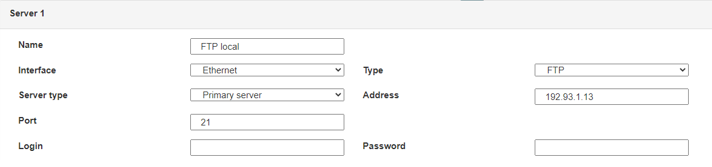 Therefore the following fields need to be configured: “Interface”, “Type”, “Server type”, “Address”, “Port”, “Login” and “Password”.
The other fields can be left at the default values subject to the directories having been properly created beforehand. See section 3.1.2: “Configuration files” for more details.
Therefore the following fields need to be configured: “Interface”, “Type”, “Server type”, “Address”, “Port”, “Login” and “Password”.
The other fields can be left at the default values subject to the directories having been properly created beforehand. See section 3.1.2: “Configuration files” for more details.




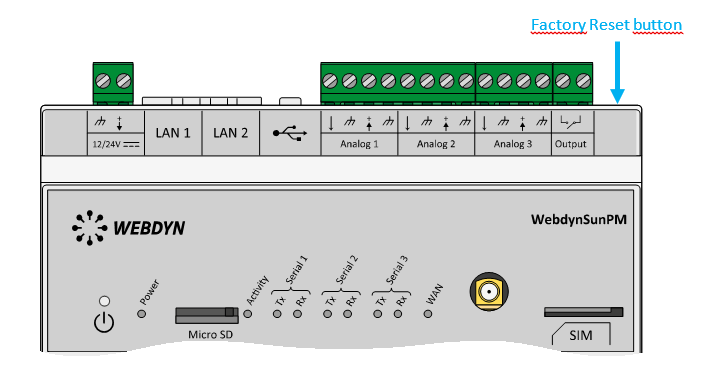 Wait. The concentrator will reboot using its factory configuration.







