
Suchen Sie etwas anderes?
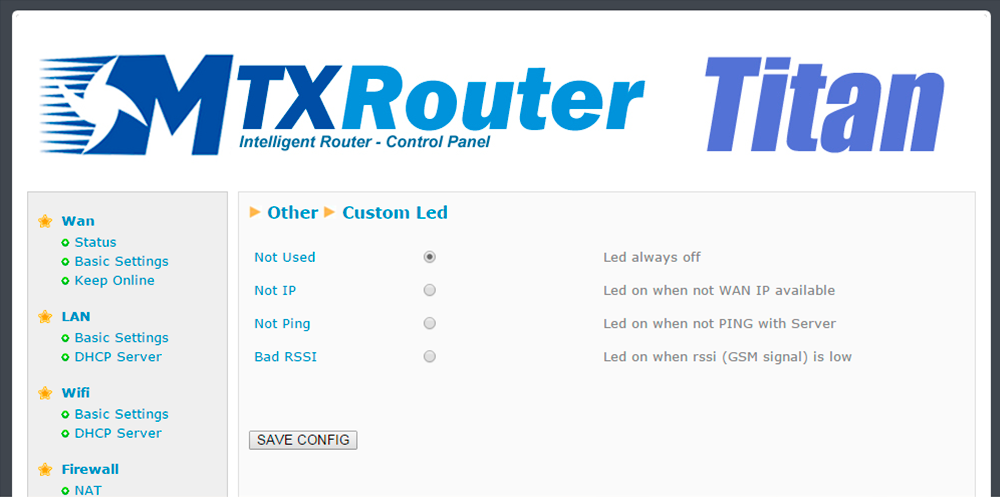
Both the MTX-Router-Titan II, MTX-Router-Titan and MTX-Router-Titan mini devices have a red LED which can be configured. In this section we can specify how it is to be used according to our needs.
- Not used: the LED will always be switched off, without use
- Not IP: the red LED will light up whenever the router does not have an assigned WAN IP address
- Not ping: the red LED will light up whenever the router does not receive a response to a PING configured in the “WAN” section (the ping that checks connectivity)
- Bad RSSI: the red LED will light up when the network coverage is weak, providing a sign that it would be better to move the antenna or use a higher poour
ADDITIONAL NOTES
- Once the configuration is finished, click “SAVE CONFIG” to save the changes. Remember that the router should be restarted for the changes to take effect


Enter the “ethernet” or “modem” connection type:
For an ethernet configuration, make sure the IP parameters are compatible with server access according to the concentrator local network configuration. For an ethernet connection, the configuration must be compatible with the concentrator’s local network topology so that it can access the servers. This configuration is done from the “Networks” configuration page (see section 3.2.2.3: “Networks”).
For a modem connection, the modem configuration must be correct before a connection can be set up. This configuration is done from the “Modem” configuration page (see section 3.2.2.4: “Modem”).
The parameters for the servers to be configured are at least the following:
Therefore the following fields need to be configured: “Interface”, “Type”, “Server type”, “Address”, “Port”, “Login” and “Password”.
The other fields can be left at the default values subject to the directories having been properly created beforehand. See section 3.1.2: “Configuration files” for more details.

Wait. The concentrator will reboot using its factory configuration.






