
Gateway to Series
-
 2G/4G/Ethernet/WiFi to RS232/RS485
 -
 2G/4G/Ethernet/WiFi to USB
 -
 Gateway server or client
 -
 SSH
SSH -
 AT commands
 -
 Incoming CSD call for metering applications
Modbus
-
 Gateway Modbus TCP-Modbus RTU
 -
Gateway Modbus TCP/RTU-SNMP
-
Autonomous reading Modbus TCP/RTU (datalogger)
-
Modbus Slave, sending SMS, Emails and traps SNMP by Modbus TCP
-
Modbus user scripts, allowing the reading of devices and depending on values, perform actions autonomously
Datalogger
-
 Datalogging sensor data
 -
 Datalogging serial data RS232/RS485/USB
 -
 Datalogging GPS (fleet tracking)
 -
Automatic data sending to web platform (HTTP/HTTPS, MQTT/MQTTS, FTP)
Sensor Compatible
-
 Temperature sensor MTX-Temp-RS232
 -
Distance sensors (ultrasound) Maxbotics
-
Modbus RTU/TCP sensors TCP
-
RF868 Wavenis sensors
-
Internal jamming detection sensor with alarm indicator
VPN
-
 IPSEC + OpenVPN server or client
 -
Permanent OpenVPN or timed with AT command
SMS
-
 Router control by SMS: status, coverage…
 -
Sending alarms by SMS
-
Sending/receiving SMS using Modbus TCP
-
Customizable texts
-
 Sending SMS by serial port
 -
 Firewall
Other Features
-
Webserver
-
 DynDNS / No-IP compatible
 -
Sending IP to private DNS server
-
 Reset hardware
 -
Keep online
-
Autoreset programmable
-
 SIM multioperator
 -
Coverage scanning
-
Time synchronization with NTP servers
-
AFirmware remote update
-
AT commands
-
NAT, firewall, DHCP and other features
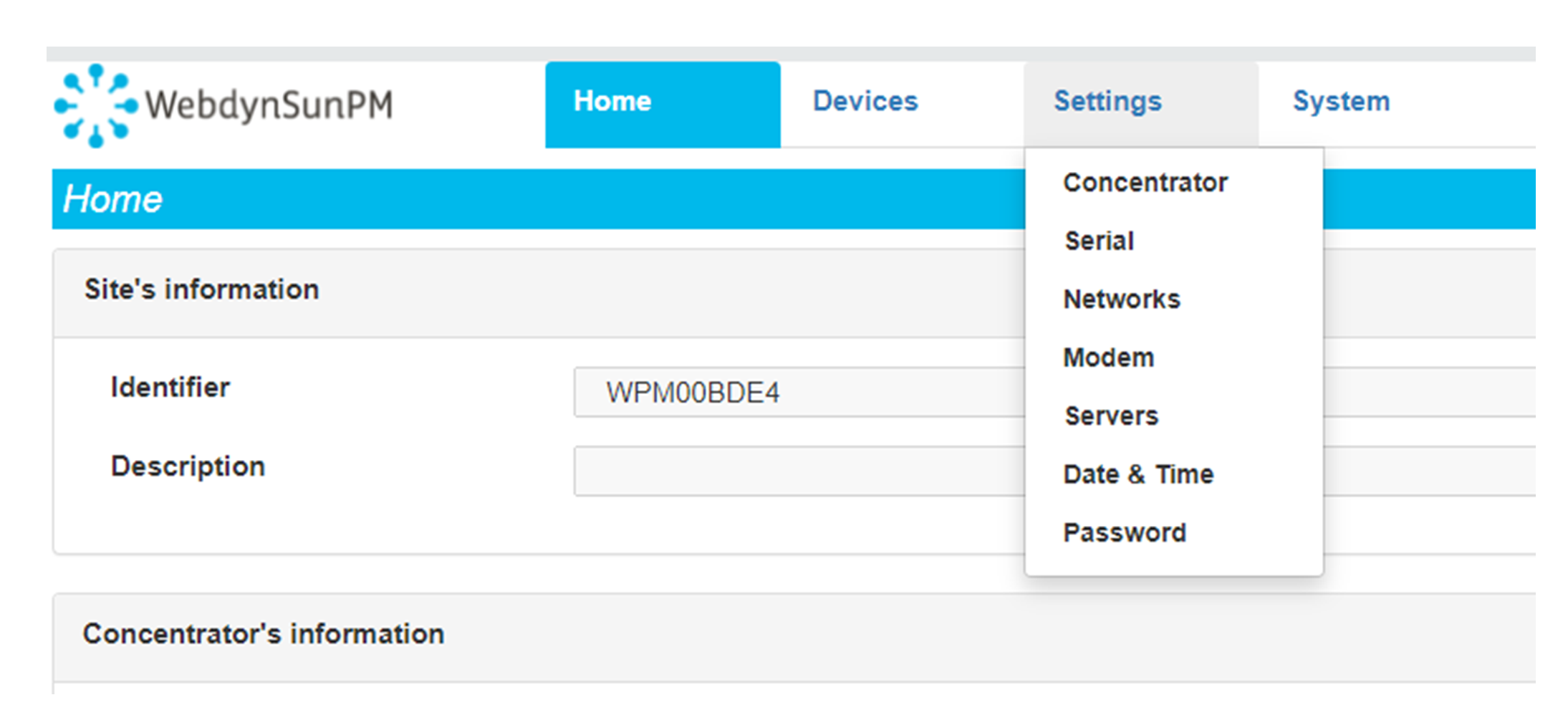 Enter the “ethernet” or “modem” connection type:
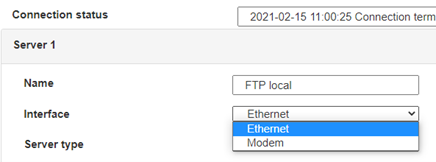 For an ethernet configuration, make sure the IP parameters are compatible with server access according to the concentrator local network configuration. For an ethernet connection, the configuration must be compatible with the concentrator’s local network topology so that it can access the servers. This configuration is done from the “Networks” configuration page (see section 3.2.2.3: “Networks”).
For a modem connection, the modem configuration must be correct before a connection can be set up. This configuration is done from the “Modem” configuration page (see section 3.2.2.4: “Modem”).
The parameters for the servers to be configured are at least the following:
For an ethernet configuration, make sure the IP parameters are compatible with server access according to the concentrator local network configuration. For an ethernet connection, the configuration must be compatible with the concentrator’s local network topology so that it can access the servers. This configuration is done from the “Networks” configuration page (see section 3.2.2.3: “Networks”).
For a modem connection, the modem configuration must be correct before a connection can be set up. This configuration is done from the “Modem” configuration page (see section 3.2.2.4: “Modem”).
The parameters for the servers to be configured are at least the following:
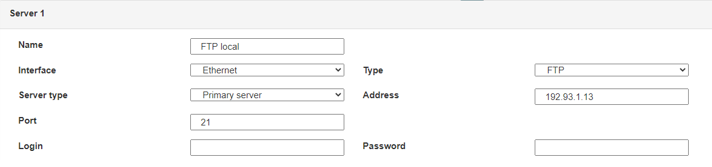 Therefore the following fields need to be configured: “Interface”, “Type”, “Server type”, “Address”, “Port”, “Login” and “Password”.
The other fields can be left at the default values subject to the directories having been properly created beforehand. See section 3.1.2: “Configuration files” for more details.
Therefore the following fields need to be configured: “Interface”, “Type”, “Server type”, “Address”, “Port”, “Login” and “Password”.
The other fields can be left at the default values subject to the directories having been properly created beforehand. See section 3.1.2: “Configuration files” for more details.




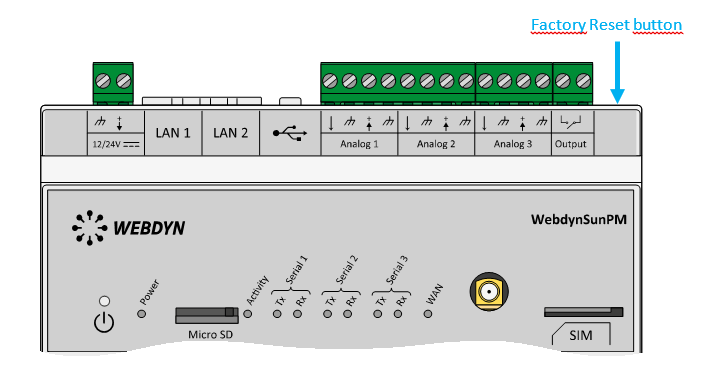 Wait. The concentrator will reboot using its factory configuration.







