
As one of the most important global events for the solar industry, Intersolar Europe provides the perfect platform for Webdyn to present its latest innovations in energy management and communication systems.
You can find us at the French Pavilion – Booth A4.140.
This year, we’ll be highlighting our flagship solution, the WebdynSunPM, designed for advanced monitoring and control of solar and hybrid energy systems. The latest version of the WebdynSunPM introduces powerful new features, including:
 Intelligent power regulation to balance energy production and consumption in real time,
Diesel generator management for optimized hybrid configurations,
BMS (Battery Management System) integration for smarter energy storage handling,
Autoconsumption optimization to help maximize on-site solar usage and reduce grid dependency.
Whether you are an EPC, integrator, operator, or solution provider in the solar sector, our team will be on hand to present how Webdyn’s technologies are supporting high-efficiency, sustainable energy projects around the world.
Come and discover the latest Webdyn solutions on our stand!
We would be delighted to welcome you on our stand to discuss these solutions and answer any questions you may have. The Webdyn team looks forward to discussing your projects and the technologies that will transform the energy sector.
We thank you for your confidence and hope to see many of you at INTERSOLAR Europe 2025!
Dates: 7-9th of May 2025
Venue: Messe München, Germany
Webdyn booth: French Pavilion, Stand A4.140
See you in Munich!
The Webdyn team

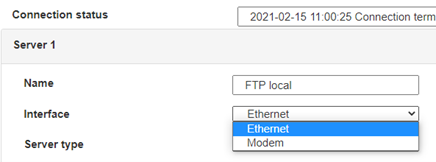
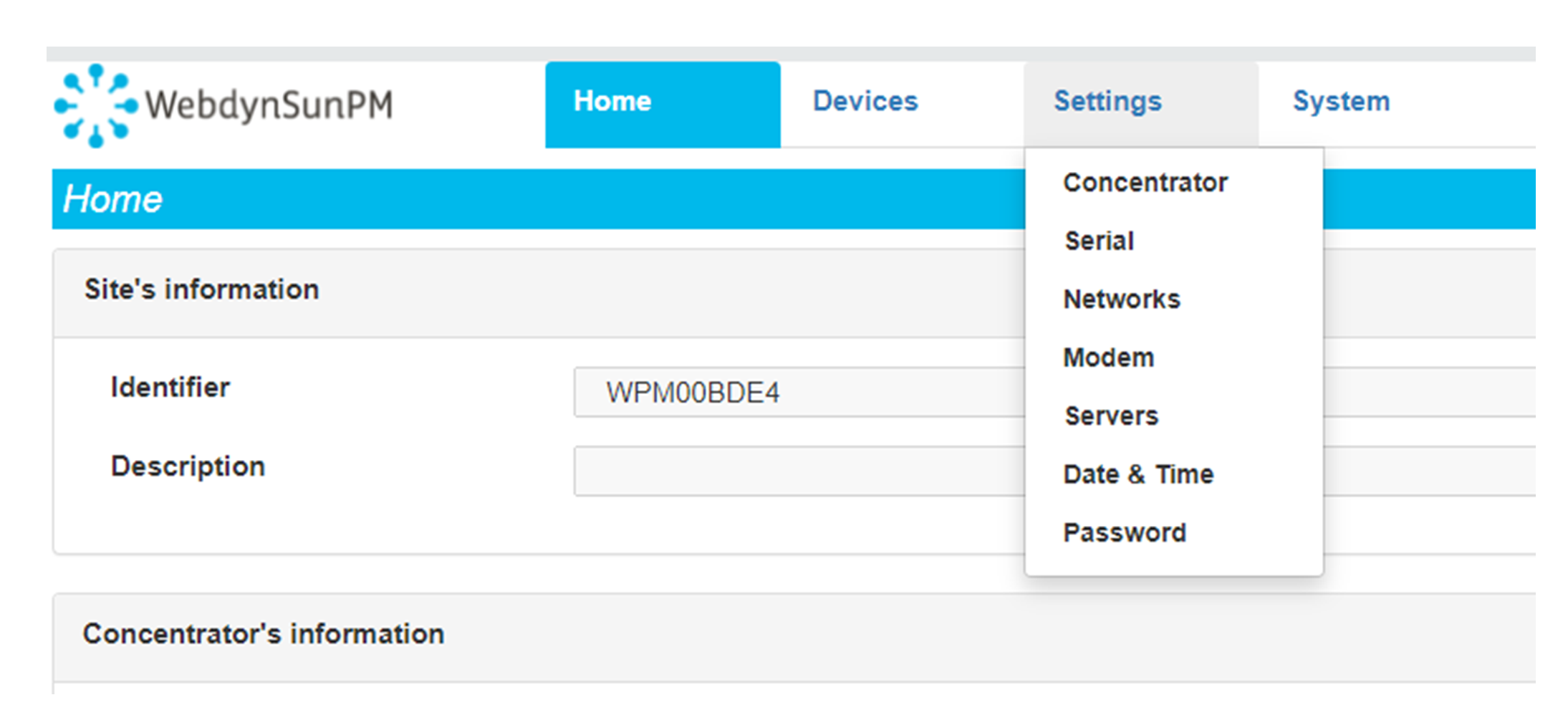 Enter the “ethernet” or “modem” connection type:
 For an ethernet configuration, make sure the IP parameters are compatible with server access according to the concentrator local network configuration. For an ethernet connection, the configuration must be compatible with the concentrator’s local network topology so that it can access the servers. This configuration is done from the “Networks” configuration page (see section 3.2.2.3: “Networks”).
For a modem connection, the modem configuration must be correct before a connection can be set up. This configuration is done from the “Modem” configuration page (see section 3.2.2.4: “Modem”).
The parameters for the servers to be configured are at least the following:
For an ethernet configuration, make sure the IP parameters are compatible with server access according to the concentrator local network configuration. For an ethernet connection, the configuration must be compatible with the concentrator’s local network topology so that it can access the servers. This configuration is done from the “Networks” configuration page (see section 3.2.2.3: “Networks”).
For a modem connection, the modem configuration must be correct before a connection can be set up. This configuration is done from the “Modem” configuration page (see section 3.2.2.4: “Modem”).
The parameters for the servers to be configured are at least the following:
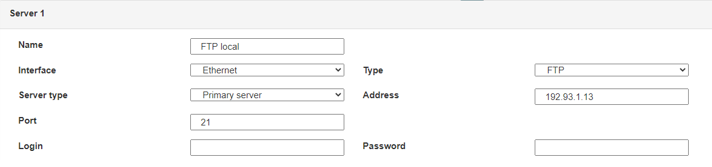 Therefore the following fields need to be configured: “Interface”, “Type”, “Server type”, “Address”, “Port”, “Login” and “Password”.
The other fields can be left at the default values subject to the directories having been properly created beforehand. See section 3.1.2: “Configuration files” for more details.
Therefore the following fields need to be configured: “Interface”, “Type”, “Server type”, “Address”, “Port”, “Login” and “Password”.
The other fields can be left at the default values subject to the directories having been properly created beforehand. See section 3.1.2: “Configuration files” for more details.




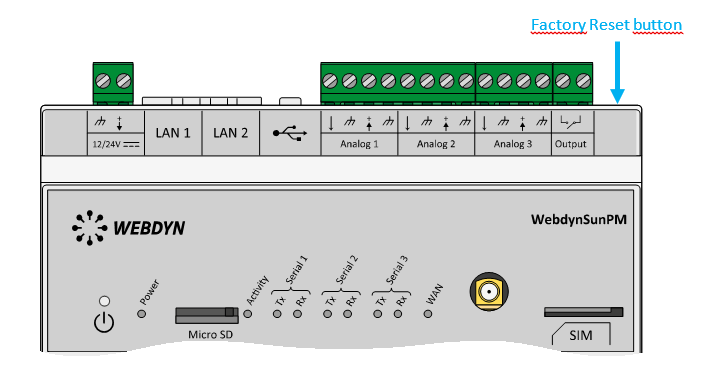 Wait. The concentrator will reboot using its factory configuration.







