
Skip to main content
Suchen Sie etwas anderes?
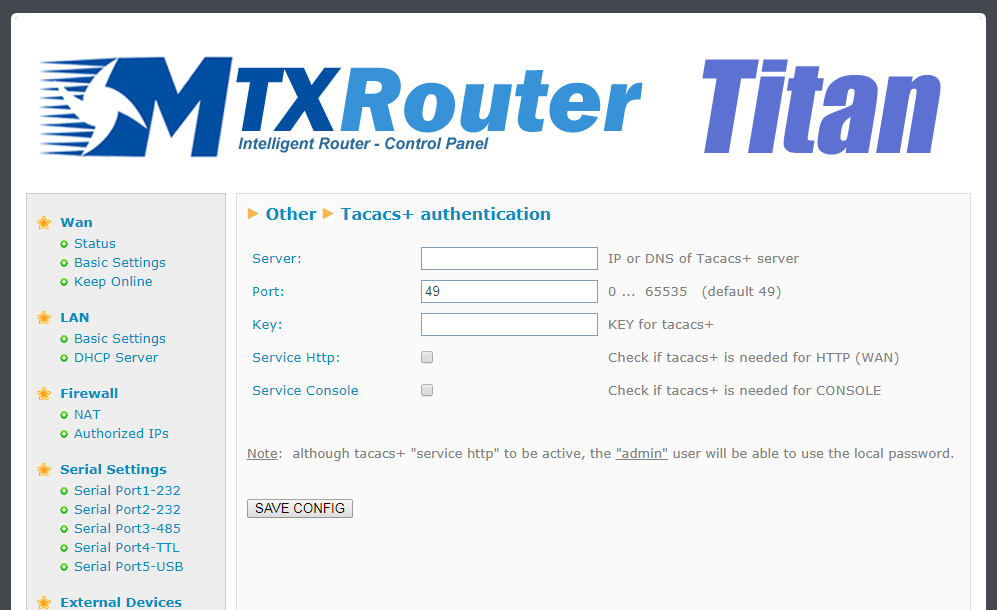
If an external Tacacs+ server is needed for the authentication of the HTTP and Telnet services, we need to configure in this section.
- Server: Tacacs+ server IP address or DNS
- Port: Tacacs+ tap port (default 49)
- Key: encryption password
- Service http: activate this box in case we want the access to the Titan router via HTTP to use the Tacacs+ authentication service
- Service console: activate this box in case we want the access to the Titan router via Telnet (remote console) to use Tacacs+ authentication
ADDITIONAL NOTES
- Once configured click on the “SAVE CONFIG” button to save changes. Restart the router so changes apply
- Note the Titan router will allow us to use the username and password assigned to the user “admin” locally, so if the router does not have Internet connectivity (operator change, etc.) it can have a way to enter the router. Save the “admin” local password securely
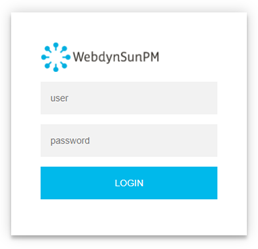
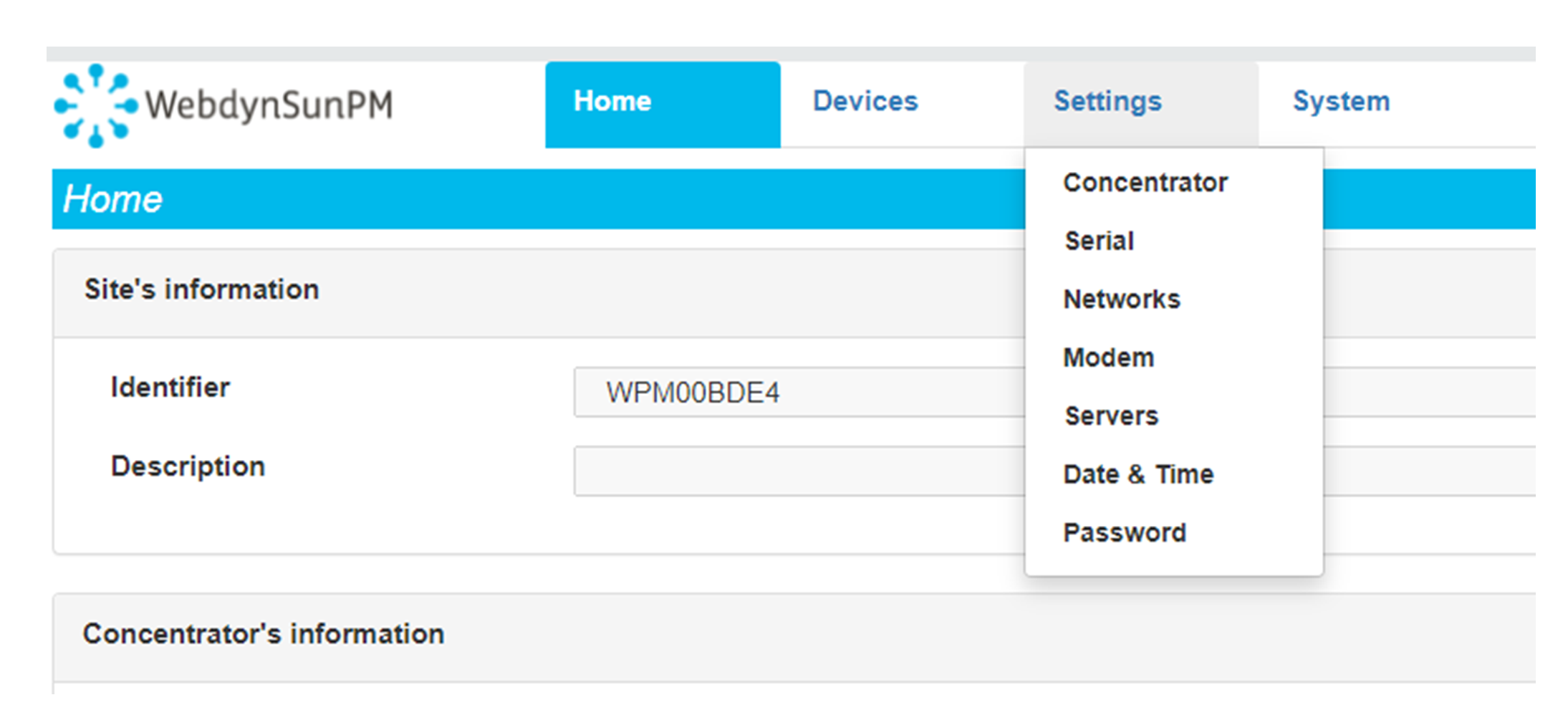 Enter the “ethernet” or “modem” connection type:
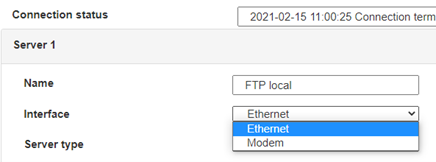 For an ethernet configuration, make sure the IP parameters are compatible with server access according to the concentrator local network configuration. For an ethernet connection, the configuration must be compatible with the concentrator’s local network topology so that it can access the servers. This configuration is done from the “Networks” configuration page (see section 3.2.2.3: “Networks”).
For a modem connection, the modem configuration must be correct before a connection can be set up. This configuration is done from the “Modem” configuration page (see section 3.2.2.4: “Modem”).
The parameters for the servers to be configured are at least the following:
For an ethernet configuration, make sure the IP parameters are compatible with server access according to the concentrator local network configuration. For an ethernet connection, the configuration must be compatible with the concentrator’s local network topology so that it can access the servers. This configuration is done from the “Networks” configuration page (see section 3.2.2.3: “Networks”).
For a modem connection, the modem configuration must be correct before a connection can be set up. This configuration is done from the “Modem” configuration page (see section 3.2.2.4: “Modem”).
The parameters for the servers to be configured are at least the following:
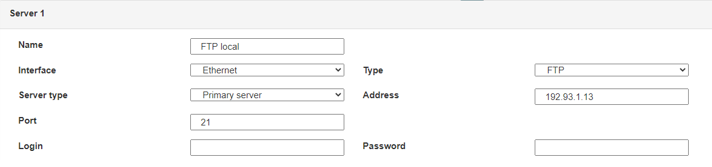 Therefore the following fields need to be configured: “Interface”, “Type”, “Server type”, “Address”, “Port”, “Login” and “Password”.
The other fields can be left at the default values subject to the directories having been properly created beforehand. See section 3.1.2: “Configuration files” for more details.
Therefore the following fields need to be configured: “Interface”, “Type”, “Server type”, “Address”, “Port”, “Login” and “Password”.
The other fields can be left at the default values subject to the directories having been properly created beforehand. See section 3.1.2: “Configuration files” for more details.




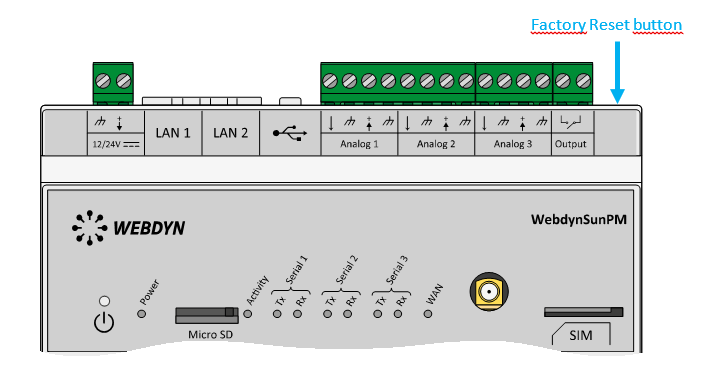 Wait. The concentrator will reboot using its factory configuration.







