
Optimizing industrial self-consumption with Bright Sunday

Optimizing industrial self-consumption with Bright Sunday Bright Sunday transforms the way companies access energy, offering solar solutions with no upfront investment through Power Purchase Agreement (PPA) contracts.From design to installation and full management of photovoltaic plants, Bright Sunday enables companies to reduce energy costs, generate clean energy, and advance their sustainability goals. The challenge Bright […]
Baeren.io recommends the WebdynEasy W M-Bus 868MHz for Smart Building Applications

Baeren.io recommends the WebdynEasy W M-Bus 868MHz for Smart Building Applications Monitoring your data as close as possible to customers needs MONITORING SOLUTIONS FOR ALL YOUR APPLICATIONS Since the company was founded in 2018, baeren.io has been dealing with the topics of cloud metering, cloud monitoring and energy management. After these points have now been […]
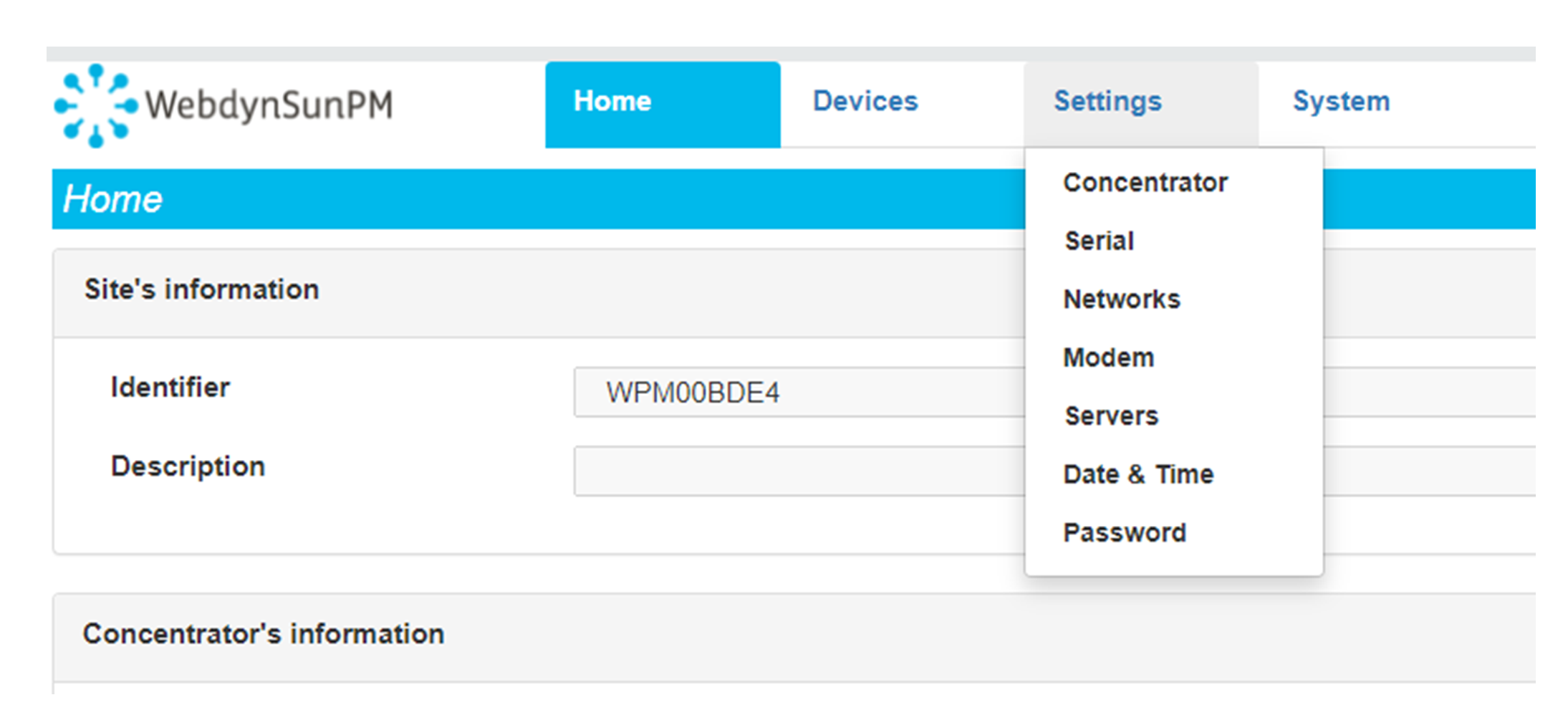 Enter the “ethernet” or “modem” connection type:
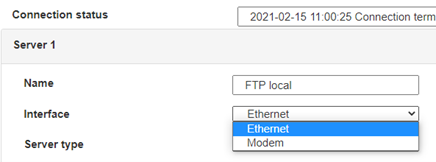 For an ethernet configuration, make sure the IP parameters are compatible with server access according to the concentrator local network configuration. For an ethernet connection, the configuration must be compatible with the concentrator’s local network topology so that it can access the servers. This configuration is done from the “Networks” configuration page (see section 3.2.2.3: “Networks”).
For a modem connection, the modem configuration must be correct before a connection can be set up. This configuration is done from the “Modem” configuration page (see section 3.2.2.4: “Modem”).
The parameters for the servers to be configured are at least the following:
For an ethernet configuration, make sure the IP parameters are compatible with server access according to the concentrator local network configuration. For an ethernet connection, the configuration must be compatible with the concentrator’s local network topology so that it can access the servers. This configuration is done from the “Networks” configuration page (see section 3.2.2.3: “Networks”).
For a modem connection, the modem configuration must be correct before a connection can be set up. This configuration is done from the “Modem” configuration page (see section 3.2.2.4: “Modem”).
The parameters for the servers to be configured are at least the following:
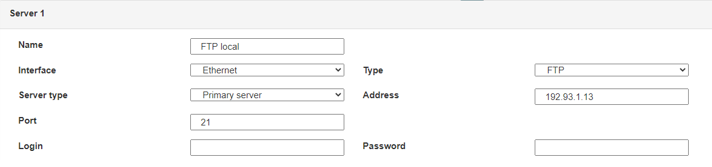 Therefore the following fields need to be configured: “Interface”, “Type”, “Server type”, “Address”, “Port”, “Login” and “Password”.
The other fields can be left at the default values subject to the directories having been properly created beforehand. See section 3.1.2: “Configuration files” for more details.
Therefore the following fields need to be configured: “Interface”, “Type”, “Server type”, “Address”, “Port”, “Login” and “Password”.
The other fields can be left at the default values subject to the directories having been properly created beforehand. See section 3.1.2: “Configuration files” for more details.




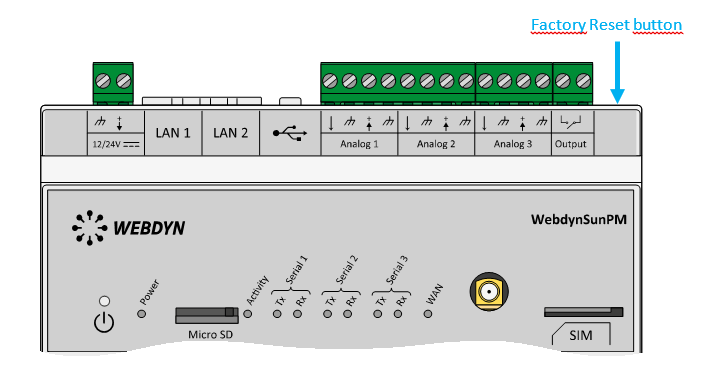 Wait. The concentrator will reboot using its factory configuration.







