Zum Hauptinhalt springen
Suchen Sie etwas anderes?
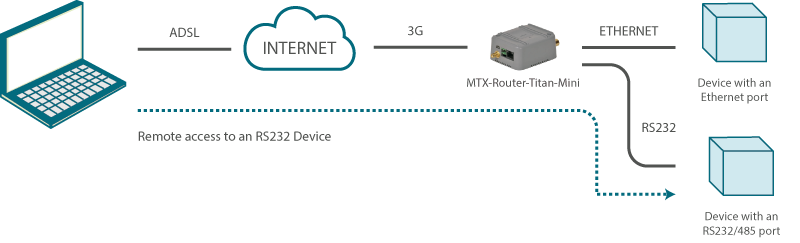
Details of the example scenario:
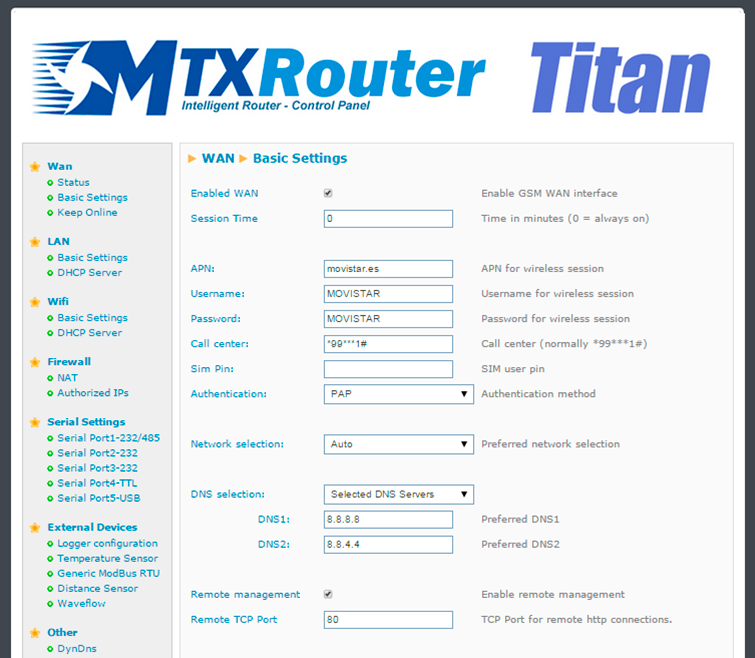
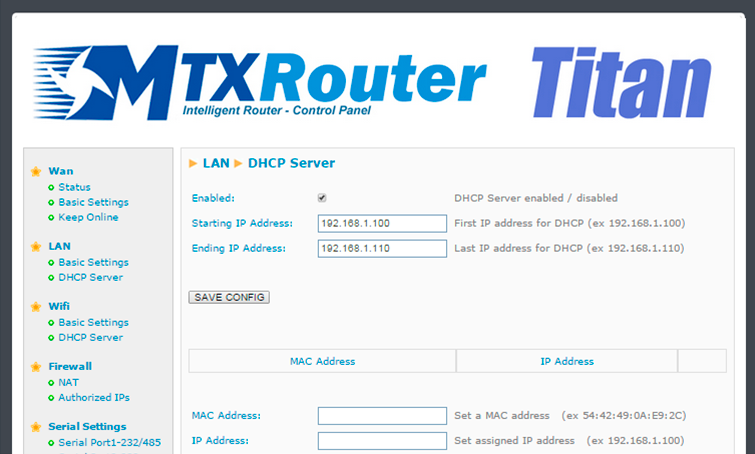
- We have a device with an Ethernet port which we want to provide with Internet access to send data to the Cloud. The device does not have a fixed LAN IP address, therefore we want to use DHCP in the Ethernet port
- We need to be able to access the router’s configuration remotely via the standard TCP port 80
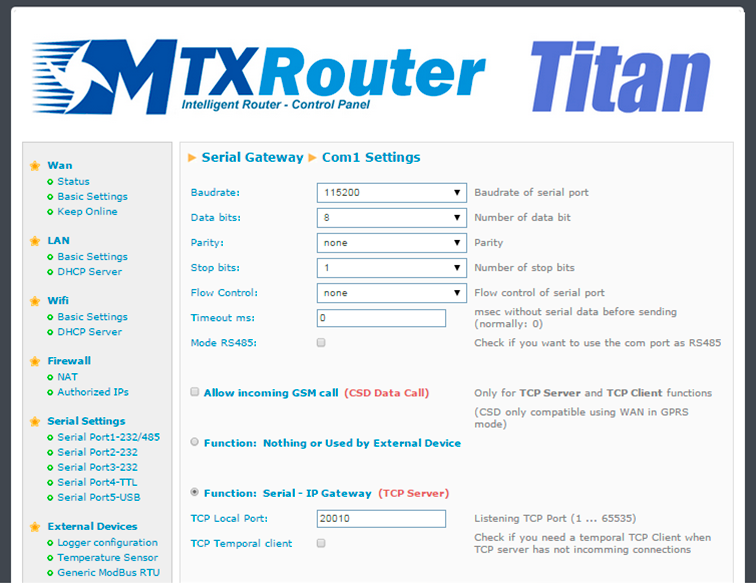
- The router will be listening in the TCP port 20010 to create a transparent 3G-RS232 gateway and to be able to remotely access the device via the serial port RS232 with the configuration
115200,8,N,1
Solution: MTX-Router-Titan mini
Configuration example ready for use:
We can easily load the example from the router’s web configuration environment from the menu “Other>Backup/Examples”.
Details:
- After the configuration is loaded in our router, we can access the router’s configuration with the default username and password: “admin” and “admin”, and the IP address“192.168.1.2”
- Check the configuration in the menus “Wan>Basic Settings”, “LAN>DHCP”, “Serial Settings>Serial Port 1”
- With the 3G-RS232 gateway, everything that is sent to the router’s TCP port 20010 will be redirected to the device’s serial port RS232 and vice versa