Zum Hauptinhalt springen
Suchen Sie etwas anderes?
Details of the example scenario:
- We have a device with an ETH port which we want to provide with Internet access for it to send data to the Cloud. The Ethernet device has the LAN IP address 192.168.1.70
- Another device, in this case with an RS232 serial port, will be connected to the router’s RS232 port. This device will manage a series of alarms and must be able to send them via SMS using standard AT commands from any GSM modem
Solution: MTX-Router-Titan mini
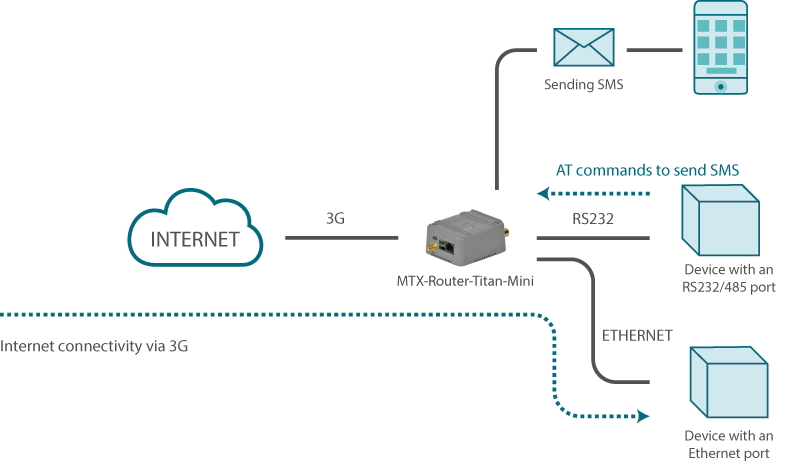
Configuration example ready for use:
We can easily load the example from the router’s web configuration environment from the menu “Other>Backup/Examples”
Details:
- After the configuration is loaded in our router, we can access the router’s configuration with the default username and password: “admin” and “admin”, and the IP address“192.168.1.2”
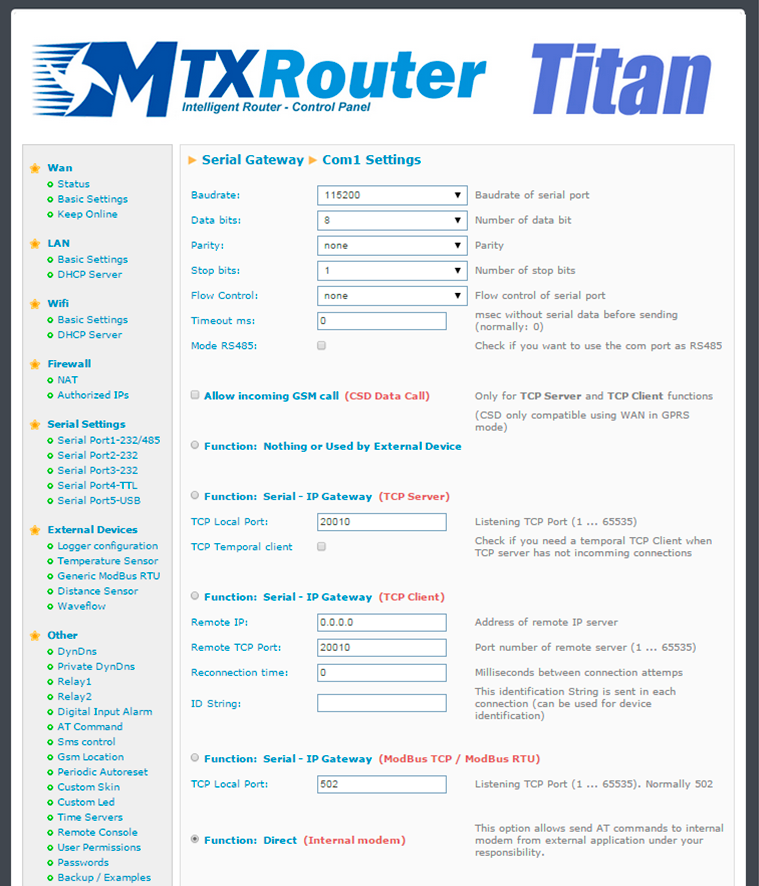
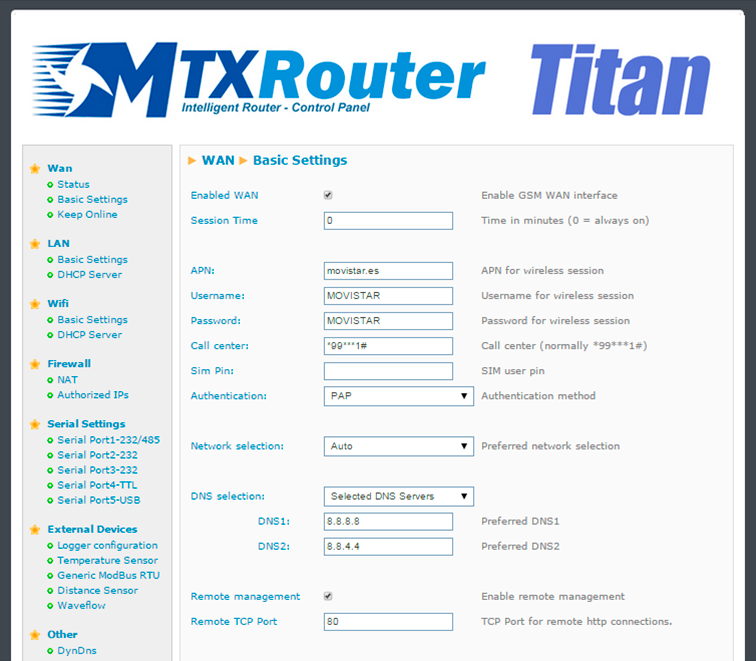
- Check the configuration in the menus “Wan>Basic Settings”, “LAN>DHCP”, “Serial Settings>Serial Port 1”
- Look carefully at the configuration in “Serial Settings > Serial Port 1”. We will see that the router redirects all traffic received in the serial port to the internal GSM module, therefore the AT commands that are sent through it must be appropriate for the Cinterion EHS5 module. Consult the commands AT+CMGF and AT+CMGS of the manual, which can be requested from us at iotsupport@mtxm2m.com, to know about the sending of SMS