Vai al contenuto principale
Suchen Sie etwas anderes?
Details of the example scenario:
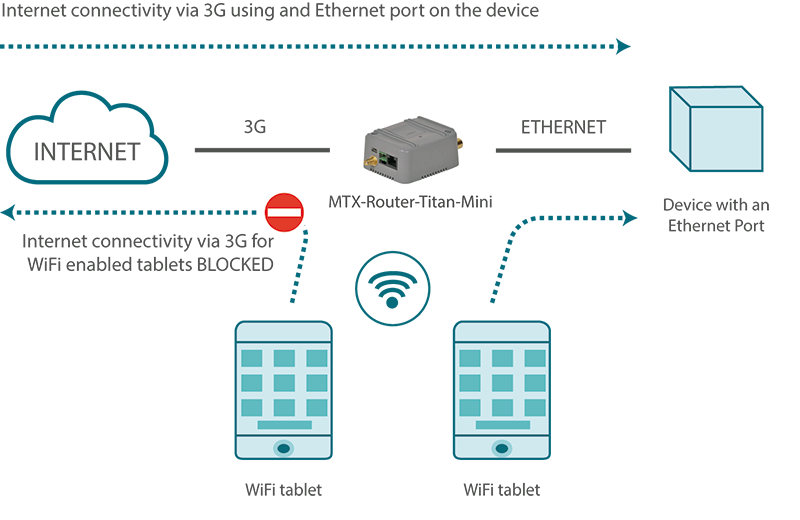
- We have a PLC device with an ETH port which we want to provide with Internet access to send data to the Cloud. The PLC has a local IP address of 192.168.1.1
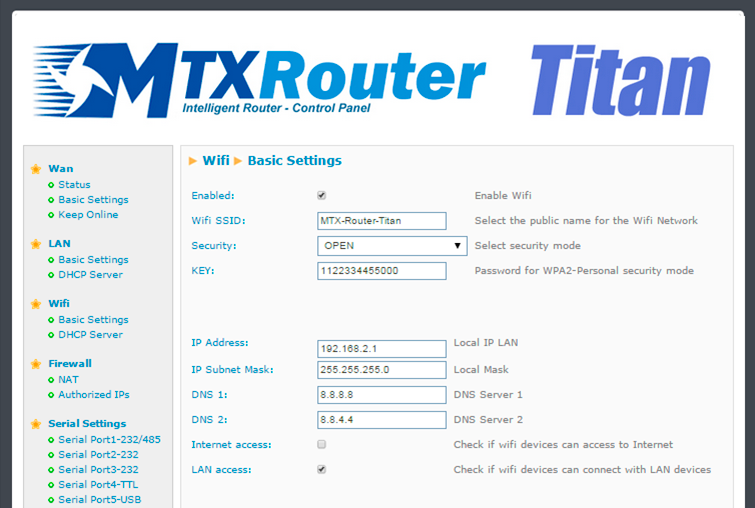
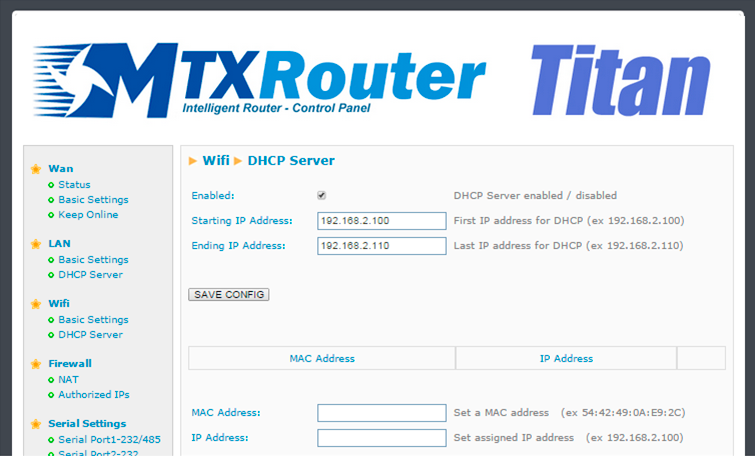
- Several tablets will also connect to the router via WiFi (DHCP) which will need to be able to connect to the Ethernet device which is connected to the router for maintenance tasks, although Internet accesss must also be blocked for these. Only the Ethernet device should have Internet access
Solution: MTX-Router-Titan mini
Configuration example ready for use:
We can easily load the example from the router’s web configuration environment from the menu “Other>Backup/Examples”.
Details:
- After the configuration is loaded in our router, we can access the router’s configuration with the default username and password: “admin” and “admin”, and the IP address“192.168.1.2”
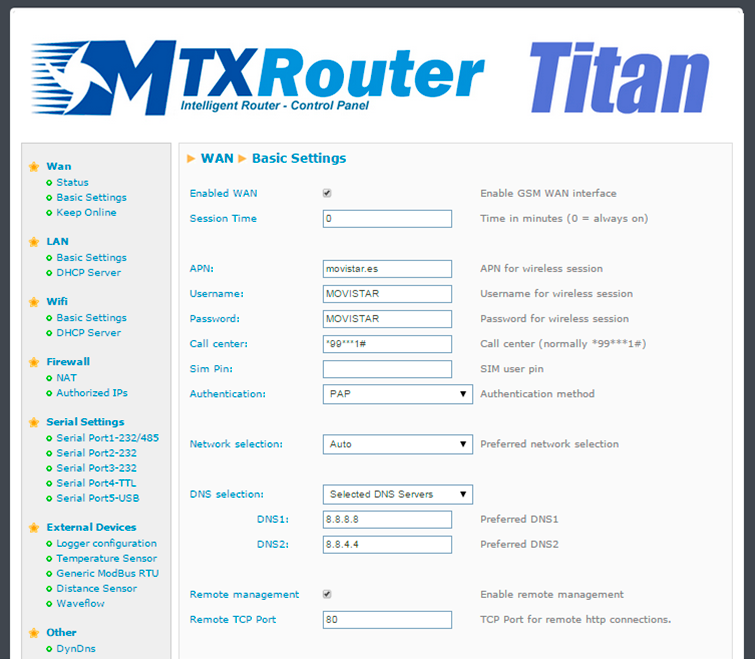
- Check the configuration in the menus “Wan>Basic Settings”, “WiFi>Basic Settings”, “WiFi>DHCP Server”
- Remember that in order to work, the PLC’s IP address should be in the range of the router’s LAN IP address and we should specify the PLC’s Gateway IP address with the router’s LAN IP address. In this example, it would be 192.168.1.2