
Suchen Sie etwas anderes?
Table of Contents
Serial
There is a console port on the router. Normally, this port is used to debug. This port can also be used for serial transmission. The router has embedded a serial to TCP program. The data sent to the serial port is encapsulated by TCP/IP protocol stack and then is sent to the destination server. This function can work as a IP Modem.
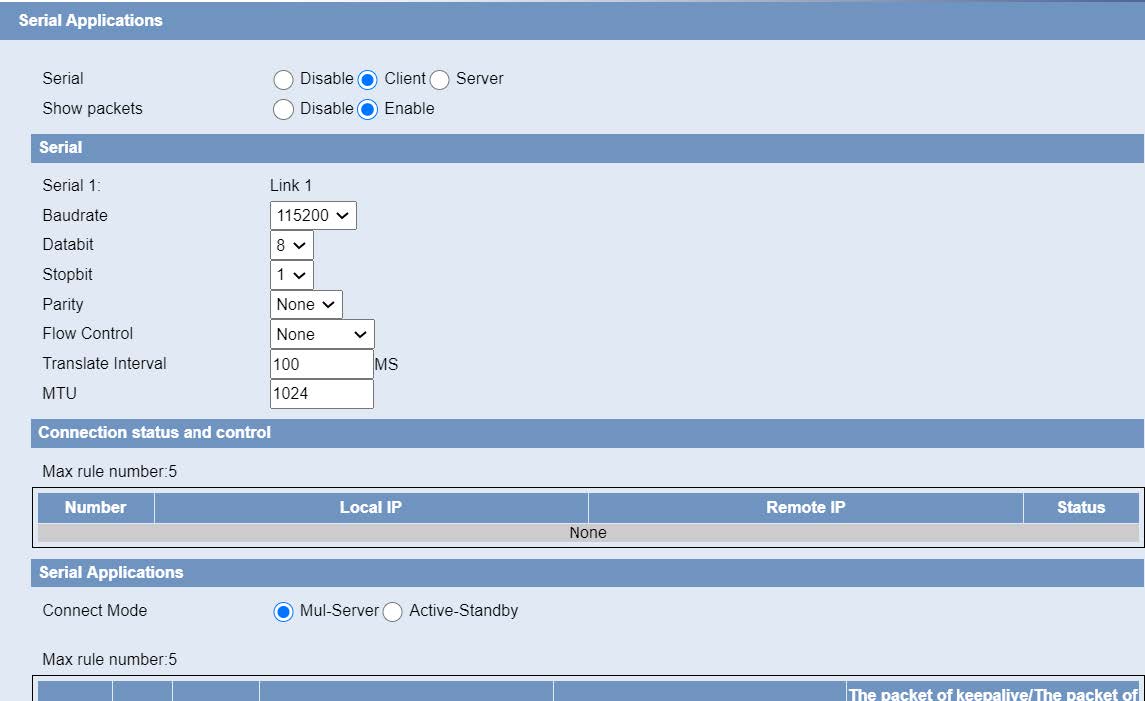
Baudrate: The serial port’s baud rate.
Databit: The serial port’s data bit.
Parity: The serial port’s parity.
Stopbit: The serial port’s stopbit.
Flow Control: The serial port’s flow control type.
Enable Serial TCP Function: Enable the serial to TCP function.
Protocol Type: The protocol type to transmit data.
UDP(DTU): Data transmit with UDP protocol , work as a DTU which has application protocol and hear beat mechanism.
Pure UDP: Data transmit with standard UDP protocol.
TCP(DTU): Data transmit with TCP protocol , work as a DTU which has application protocol and hear beat mechanism.
Pure TCP: Data transmit with standard TCP protocol, router is the client.
TCP Server: Data transmit with standard TCP protocol, router is the server.
Modbus TCP Server: MODBUS TCP and MODBUS RTU conversion.
TCST: Data transmit with TCP protocol, Using a custom data.
Server Address: The data service center’s IP Address or domain name.
Server Port: The data service center’s listening port.
Device ID: The router’s identity ID.
Device Number: The router’s phone number.
Heartbeat Interval: The time interval to send heart beat packet. This item is valid only when you choose UDP(DTU) or TCP(DTU) protocol type.
TCP Server Listen Port: This item is valid when Protocol Type is “TCP Server”.
Custom Heartbeat Packet : This item is valid when Protocol Type is “TCST”.
Custom Registration Packets: This item is valid when Protocol Type is “TCST”.






