Vai al contenuto principale
Suchen Sie etwas anderes?
Details of the example scenario:
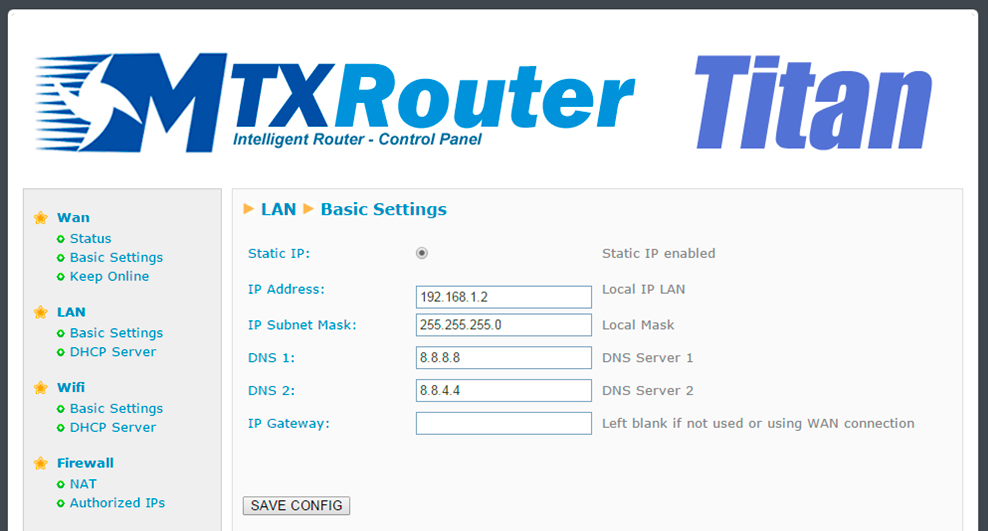
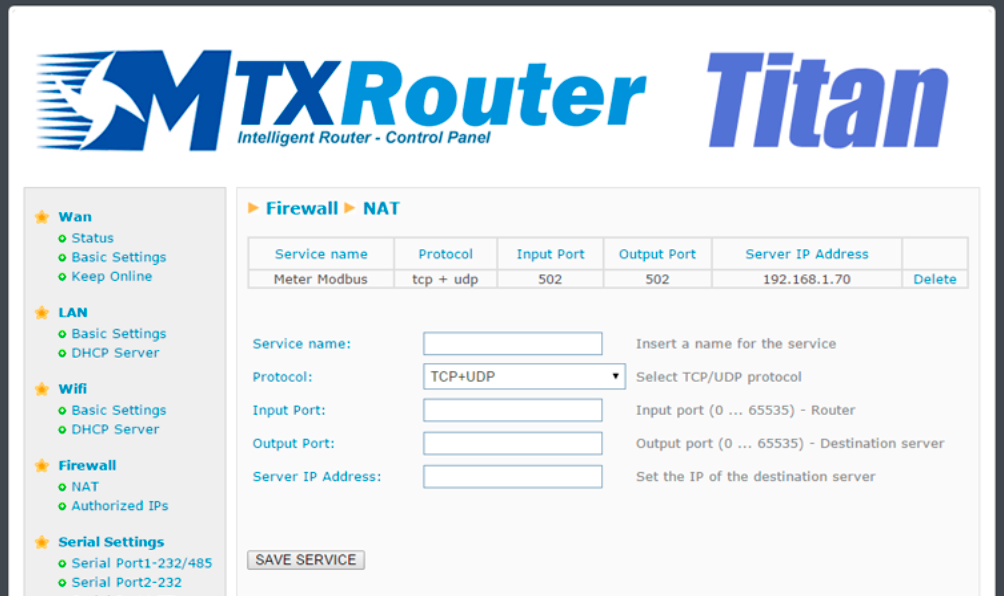
- We need to provide Internet access to a network analyzer with an Ethernet interface. We must be able to access it in the TCP502 port given that it is a Modbus TCP meter. The meter’s LAN IP address is 192.168.1.70
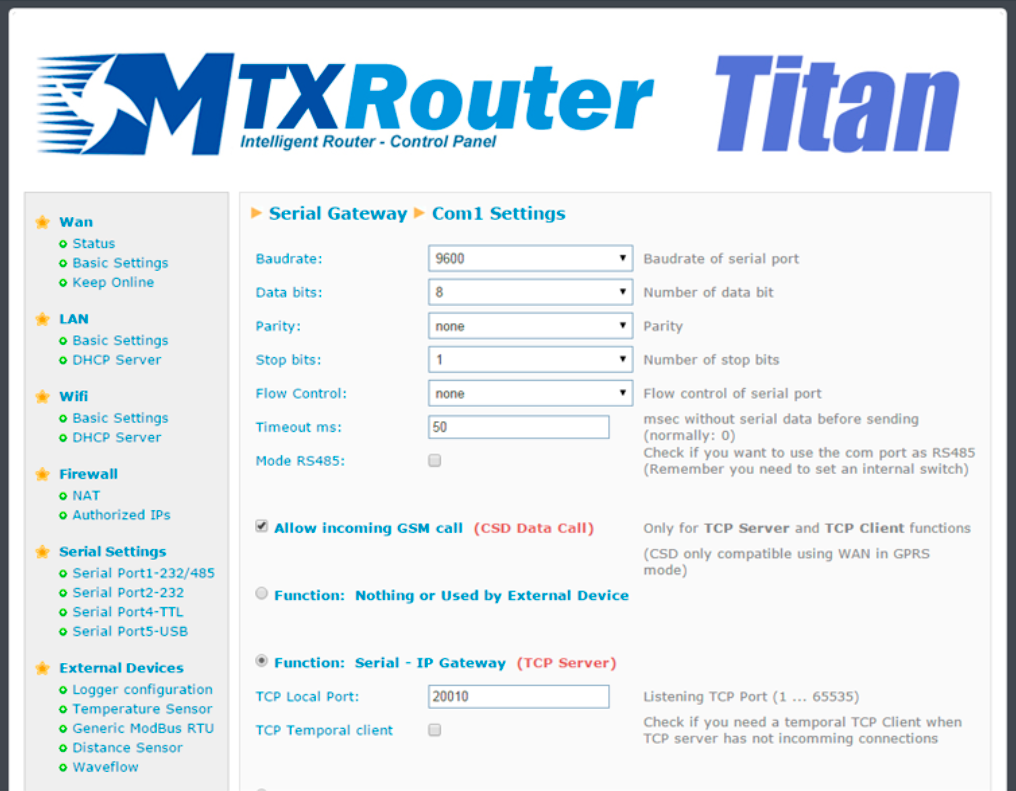
- On the other hand, we have an electricity meter with an RS232 port with the configuration 9600bps 8N1. The data from this meter should be accessed using a transparent GPRS-RS232
gateway, for which we will use the TCP20010 port - The energy provider (Iberdrola, Endesa, etc.) must also be able to access the electricity meter via a typical GSM (CSD) data call. When the operator access the data, the GPRS connection will be suspended until the call is terminated
Solution: MTX-Router-Titan mini

Configuration example ready for use:
We can easily load the example from the router’s web configuration environment from the menu “Other>Backup/Examples”.
Details:
- After loading the configuration on our router, we can access the router’s configuration with the default username and password: “admin” and “admin” and the IP address “192.168.1.2”
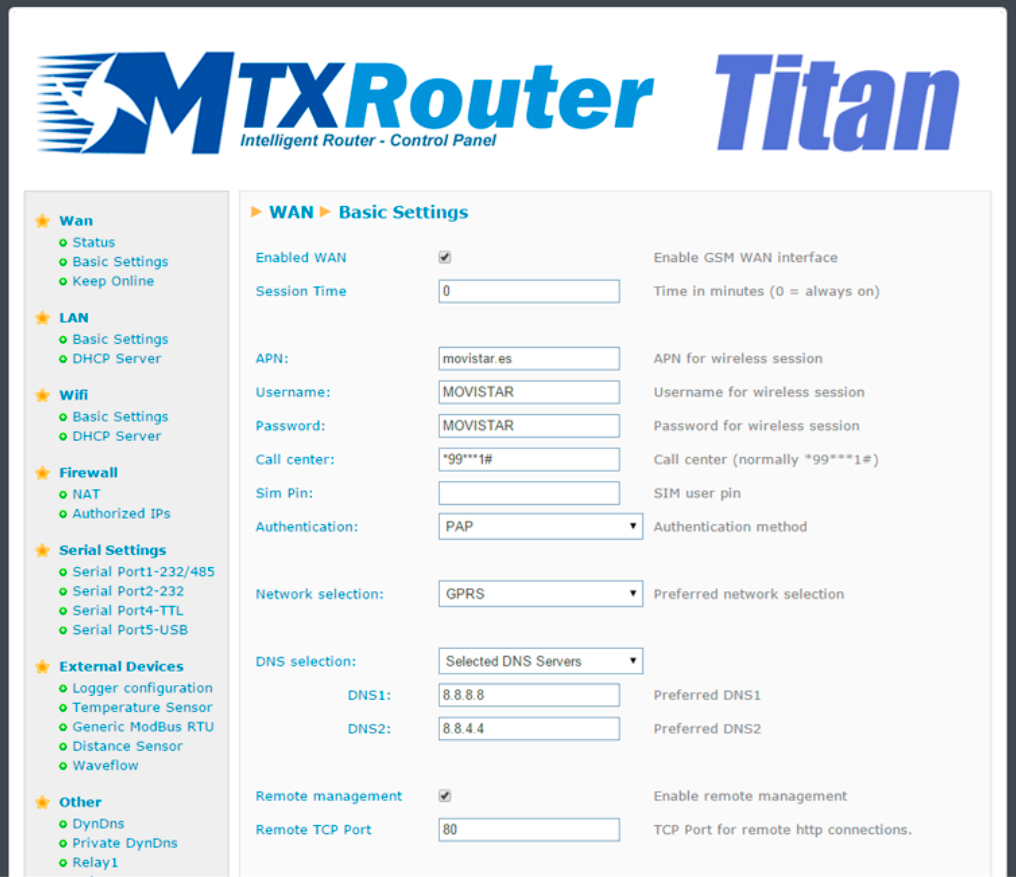
- Check the configuration in the menus “Wan>Basic Settings”, “LAN>Basic Settings”, “Firewall>NAT”, “Serial Settings>Serial Port 1”
- Remember that the router can only be configured to accept CSD calls when the router is in fixed GPRS mode. It is not possible when in 3G mode