
Vai al contenuto principale
Suchen Sie etwas anderes?
Details of the example scenario:
- We have a PLC device with ETH port that we want to provide with Internet access in order to send data to the Cloud. The PLC has a local IP address of 192.168.1.70
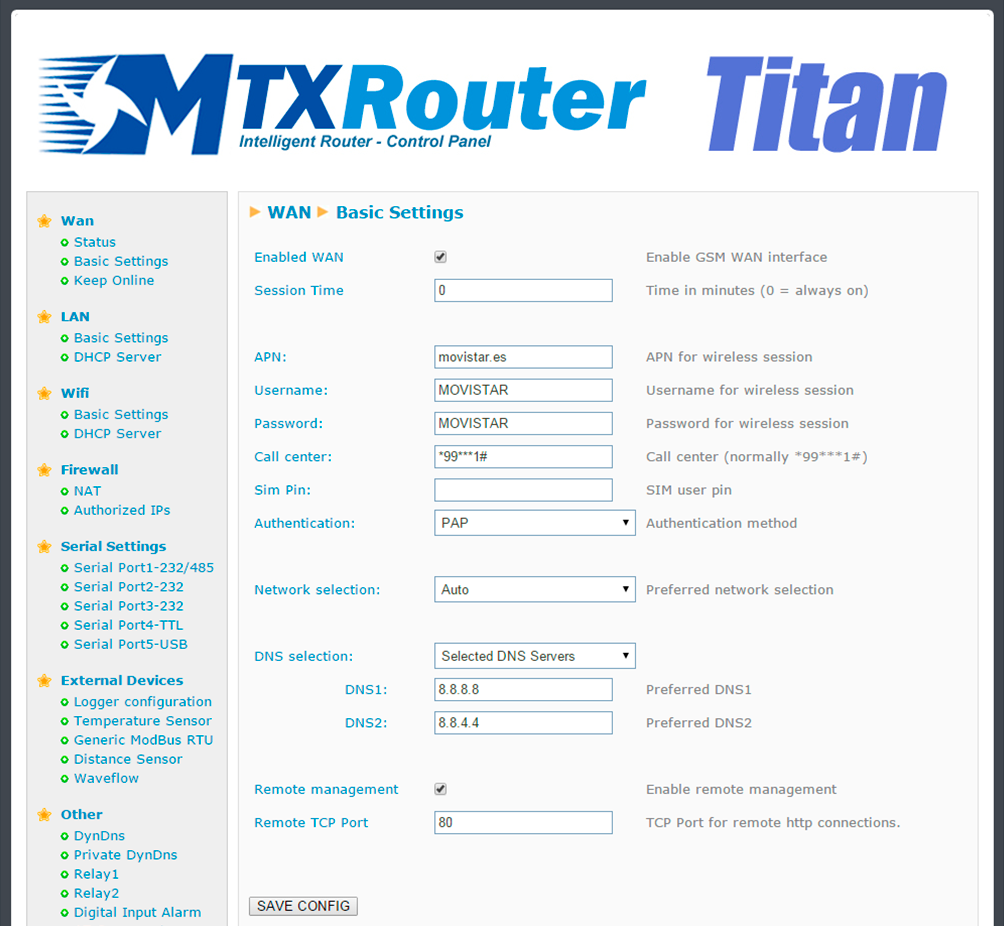
- We need to be able to access the router’s configuration remotely in the standard TCP port 80
- SIM cards with fixed IP address are used
Solution: MTX-Router-Titan mini
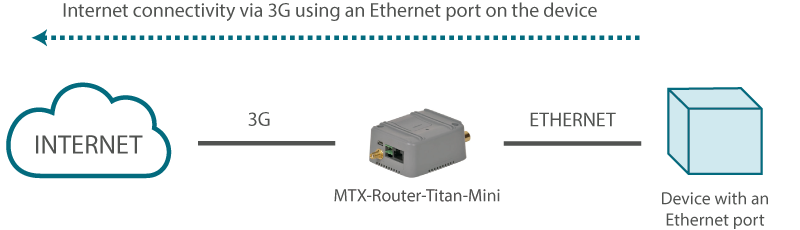
Example configuration ready for use:
We can easily load the example from the router’s web configuration environment from the menu “Other>Backup/Examples”.
Details:
- After the configuration is loaded in our router, we can access the router’s configuration with the default username and password: “admin” and “admin”, and the IP address“192.168.1.2”
- Check the configuration in the menus “Wan>Basic Settings”
- Remember that in order to work, the PLC’s IP address should be in the range of the router’s LAN IP address and we should specify the PLC’s Gateway IP address with the router’s LAN IP address. In this example, it would be 192.168.1.2


Enter the “ethernet” or “modem” connection type:
For an ethernet configuration, make sure the IP parameters are compatible with server access according to the concentrator local network configuration. For an ethernet connection, the configuration must be compatible with the concentrator’s local network topology so that it can access the servers. This configuration is done from the “Networks” configuration page (see section 3.2.2.3: “Networks”).
For a modem connection, the modem configuration must be correct before a connection can be set up. This configuration is done from the “Modem” configuration page (see section 3.2.2.4: “Modem”).
The parameters for the servers to be configured are at least the following:
Therefore the following fields need to be configured: “Interface”, “Type”, “Server type”, “Address”, “Port”, “Login” and “Password”.
The other fields can be left at the default values subject to the directories having been properly created beforehand. See section 3.1.2: “Configuration files” for more details.

Wait. The concentrator will reboot using its factory configuration.






